At some point, every growing team hits the same wall. The free plan that worked perfectly when you had five people starts creaking under the weight of fifteen, twenty, or fifty. Files go missing, workflows stall, and you find yourself wondering whether it’s time to actually pay for the tools your team uses every day.
But upgrading from free to paid team tools is not just a budget decision — it’s a strategy decision. Upgrade too early and you’re paying for features nobody uses. Wait too long and your team is quietly losing hours each week to workarounds, broken handoffs, and scattered communication. Knowing the right moment matters.
This guide walks you through the real signals that tell you it’s time to upgrade, what to look for in a paid plan, and how to make the case for the investment to whoever holds the budget.
Why Free Plans Stop Working As Teams Grow
Free tiers are designed to get you started, not to scale with you. That’s not a criticism — it’s just how SaaS pricing works. The moment your collaboration needs outgrow the boundaries of a free plan, the tool stops saving time and starts creating friction.
According to Harvard Business Review, teams that lack clear coordination systems spend a disproportionate amount of time on work about work — status updates, follow-ups, and tracking down information — rather than on the actual work itself. Free tools often lack the structure to prevent this from happening.
Common free plan limitations that quietly drain productivity include storage caps, user seat limits, restricted integrations, missing admin controls, and no access to historical data or reporting. Each of these might feel minor on its own, but together they compound into a real operational problem.
Clear Signs It Is Time to Upgrade from Free to Paid Team Tools
There is rarely one single moment that triggers the decision. It tends to be a pattern of small frustrations that builds until upgrading becomes obvious. Here are the most reliable signals to watch for.
Your Team Is Hitting Feature Walls Every Week
When people on your team regularly hit a limit — a file storage cap, a message history cutoff, a user seat they can’t add — and start building workarounds, that is a clear sign. Workarounds mean time lost. They also mean work is happening outside the system, which makes visibility even harder.
Ask your team: how many times this week did you have to do something the “wrong way” because the tool wouldn’t let you do it properly? If the answer is more than once or twice, you have a real problem.
You Are Managing More Than Ten People
Most free plans cap out at a small number of users, or become significantly less functional beyond a certain team size. Once you cross roughly ten people, the coordination complexity increases fast. Tasks overlap, responsibilities blur, and you need proper admin controls to manage who sees what.
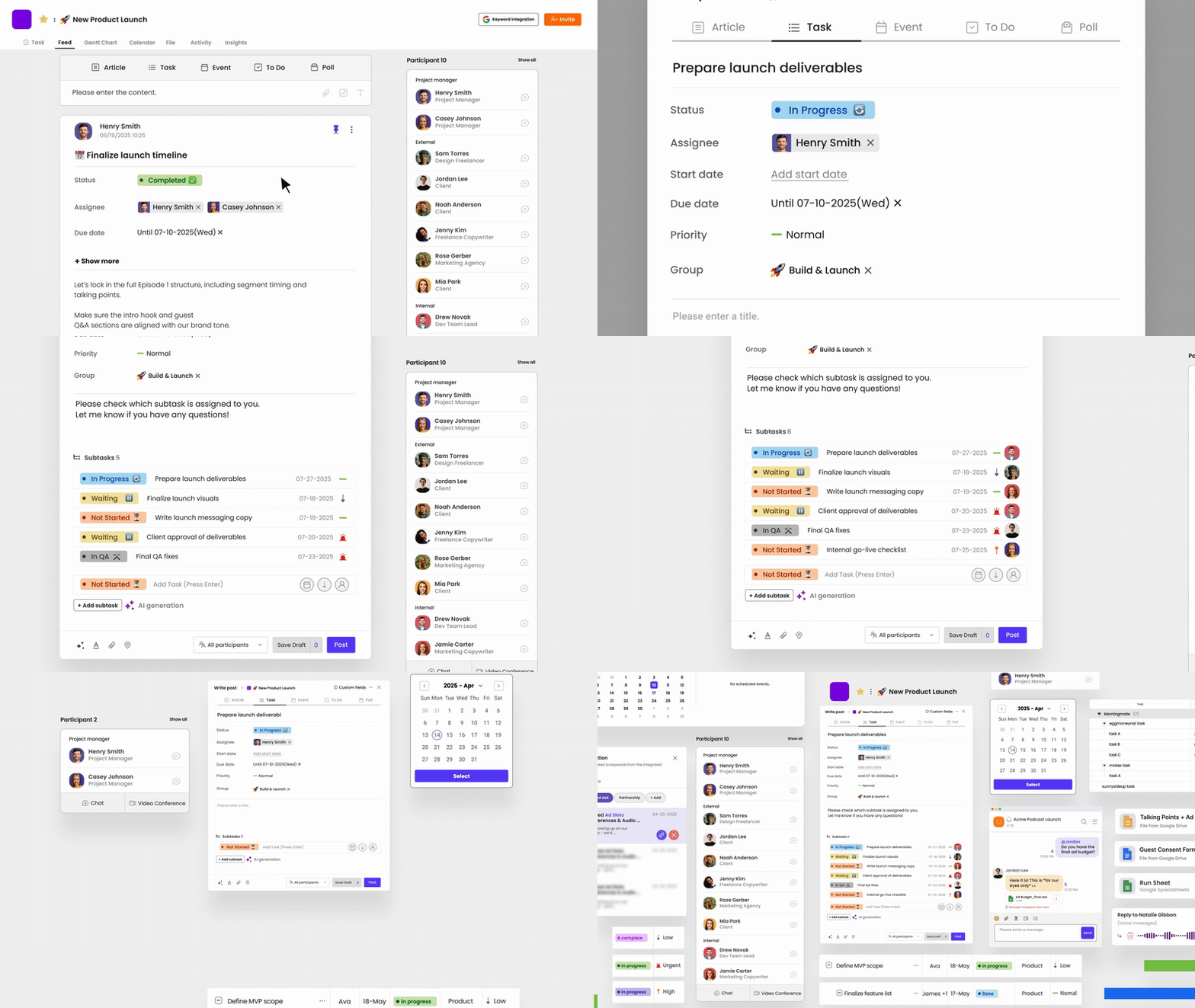
This is exactly where tools like Morningmate — a lightweight work management platform built for real teams — start earning their cost. With structured task management, a built-in chat that feels as familiar as WhatsApp, and a Feed view that keeps everyone on the same page, it replaces the chaos of email threads and personal messenger apps without overwhelming your team with complexity.
Work Is Getting Lost Between Tools
If your team is bouncing between email, a personal chat app, a free project tool, and a shared drive — and information regularly falls through the gaps — that fragmentation is costing you. A decision made in a WhatsApp thread does not make it into the task board. A file shared by email does not end up in the project folder.
McKinsey research has shown that knowledge workers spend close to two hours every day searching for information or waiting for responses from colleagues. Much of that waste comes directly from fragmented tooling. Consolidating into one paid platform — even a simple one — often pays for itself quickly.
You Need Visibility Across the Team
Free tools rarely give managers a clear view of what is happening across the whole team. If you are constantly asking “where does this stand?” or sending status-check messages to get updates, you have a visibility gap. Paid plans typically unlock dashboards, reporting, and admin views that make it far easier to track progress without interrupting your team.
For operations leads and business owners especially, this kind of oversight is not a nice-to-have. It is how you catch delays before they become problems and keep work moving without micromanaging.
Security and Compliance Are Becoming a Concern
Free plans almost never include advanced security features like single sign-on, two-factor authentication enforcement, role-based permissions, or audit logs. If you are working with sensitive client data, handling contracts, or operating in a regulated industry, a free plan is simply not appropriate.
This is a non-negotiable upgrade trigger. The cost of a data breach or compliance violation will always outweigh the cost of a paid plan.
How to Evaluate Whether the Paid Plan Is Worth It
Not every upgrade is the right move. Before you commit, do a quick internal audit to make sure you are upgrading to solve a real problem, not just to have access to more features you will never use.
- List the top three workflow problems your team experienced this month
- Check whether the paid plan’s features directly address those problems
- Calculate the time cost of current workarounds per week — multiply by your average hourly rate
- Compare that number to the monthly cost of the upgrade
- Consider whether consolidating tools would reduce your overall software spend
In many cases, teams discover that upgrading to one solid paid platform and dropping two or three free tools they were patching together actually saves money while improving how work gets done. Morningmate, for example, consolidates task management, team chat, and file sharing into one place — which means many teams can retire their separate chat app and basic project tracker at the same time.
Making the Case to Your Leadership or Budget Holder
If you are not the one who approves the budget, you will need to build a brief internal case. The good news is this does not need to be a formal presentation. It needs to answer three questions clearly.
What Problem Are We Solving?
Be specific. Do not say “we need better tools.” Say “our team of twelve is working across three different apps, and decisions made in WhatsApp regularly never make it into our task tracker. We estimate we are losing at least three to four hours per person per week to chasing updates and finding files.”
What Does the Upgrade Cost Versus What Does the Problem Cost?
This is where the math matters. If recovering two hours per person per week across a twelve-person team translates to hundreds of dollars in recovered productivity, a paid plan at a fraction of that cost is an easy yes.
What Does Success Look Like in 90 Days?
Give leadership something concrete to evaluate. Fewer missed deadlines, faster project turnaround, reduced back-and-forth on status updates, or fewer tools to manage. Setting a 90-day benchmark makes the upgrade feel like a measured experiment, not an open-ended commitment.
What to Look for in the Right Paid Plan
Once you have decided to upgrade, do not just default to the most popular option. The right tool for your team depends on how your team actually works, not on what is trending in tech circles.
According to a Gallup report on workplace engagement, teams with clear processes and the right tools report significantly higher engagement and productivity. The emphasis is on “right” — not the most feature-rich, but the most appropriate for the team’s actual needs and skill level.
For most non-technical teams, simplicity is a feature. A tool your whole team will actually use consistently is worth far more than a complex platform only your most tech-savvy people navigate comfortably. This is why Morningmate is built with an interface that feels intuitive to anyone — the Feed view works like a social media timeline, and the chat works like the messaging apps your team already uses. There is almost no learning curve, which means adoption happens fast.
A few things worth checking before you commit to a paid plan:
- Does it have the user management and admin controls your team size needs?
- Does it replace other tools you are currently paying for or patching together?
- Is the interface something your whole team — not just the tech-comfortable people — will use without training?
- Does the vendor offer responsive support at the paid tier?
- Can you scale the plan without a painful migration later?
Timing the Upgrade Right
The best time to upgrade is slightly before you desperately need to — not after things have already broken down. If you are reading this and recognizing two or more of the signals above, that is your cue. Waiting until the pain is unbearable means you will be migrating tools in the middle of a busy period, which always makes things harder than they need to be.
Plan the upgrade during a quieter stretch, give your team a clear onboarding window, and communicate why the change is happening. A simple message — “we are moving to one tool so everyone has fewer places to check and nothing falls through the cracks” — goes a long way toward getting quick buy-in.