Picking the right productivity tool feels simple until you’re three months in and your team is still juggling three different apps just to track who’s doing what. If you’ve been comparing Morningmate vs Todoist, you’re probably not just looking for a to-do list — you’re looking for a way to keep work organized, visible, and moving without adding more complexity to your day.
Todoist is a well-known personal task manager that millions of people use to stay on top of their individual workloads. Morningmate is a team collaboration tool built around the idea that work coordination, communication, and task management should all live in one place — without requiring a tech background to use it. They solve different problems, and knowing which one fits your situation can save you a lot of frustration.
This comparison breaks down both tools honestly, so you can make a clear-headed decision for yourself or your team.
What Each Tool Is Actually Built For
Before diving into features, it helps to understand the core intent behind each product. A tool designed for personal productivity will always fall short when you need team-wide visibility — and vice versa.
Todoist: Personal Productivity First
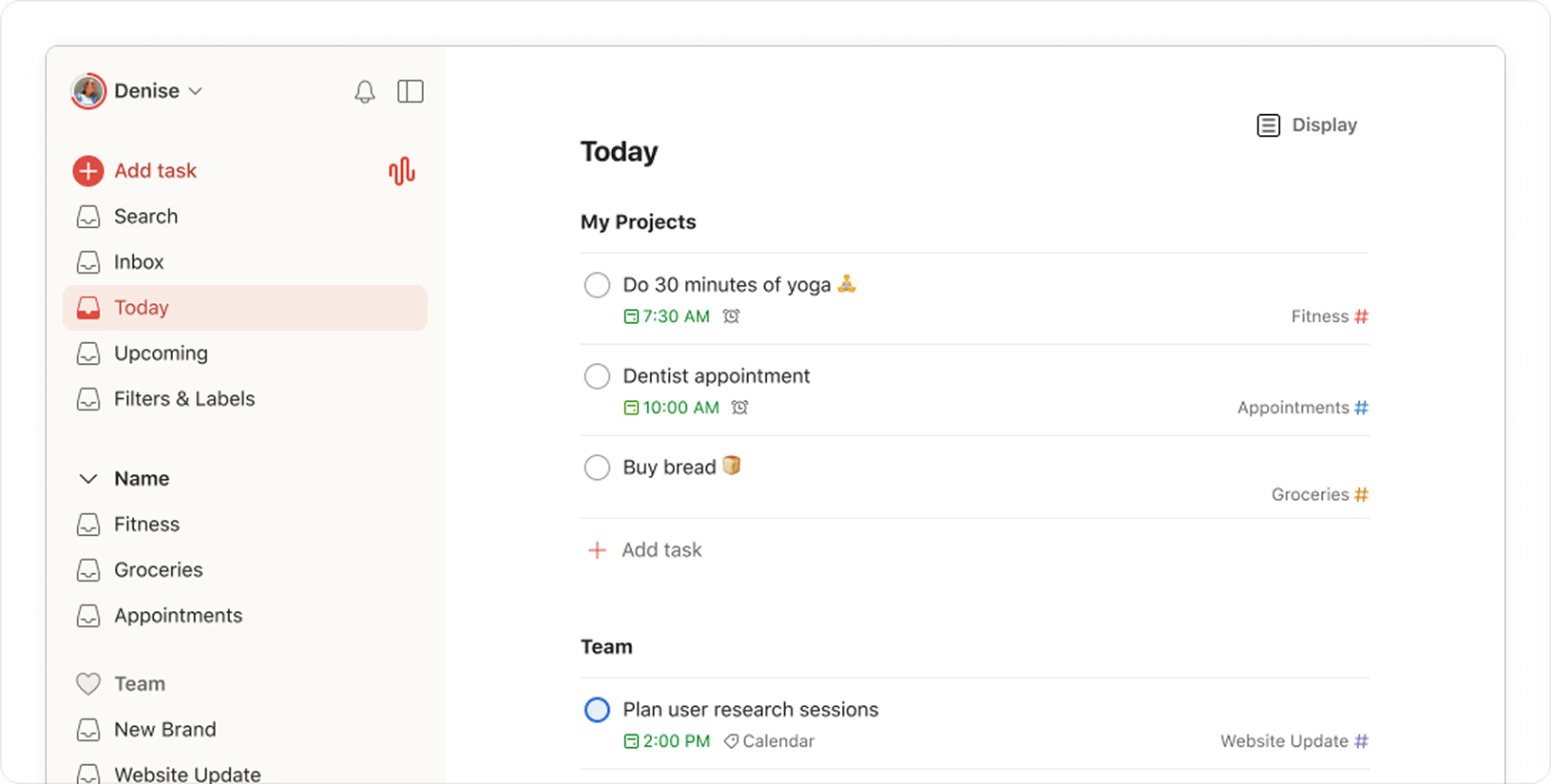
Todoist is primarily a personal task manager. It excels at helping individuals capture tasks quickly, set priorities, and build daily habits around getting things done. Its natural language input, recurring task settings, and clean interface make it a favorite for solo professionals and freelancers.
Where it starts to strain is in team settings. Todoist does offer shared projects and task assignments, but it was never designed to be the central hub for a team’s daily work. There’s no built-in chat, no threaded discussions around tasks, and limited visibility into what colleagues are actually working on in real time.
Morningmate: Built Around How Teams Actually Work
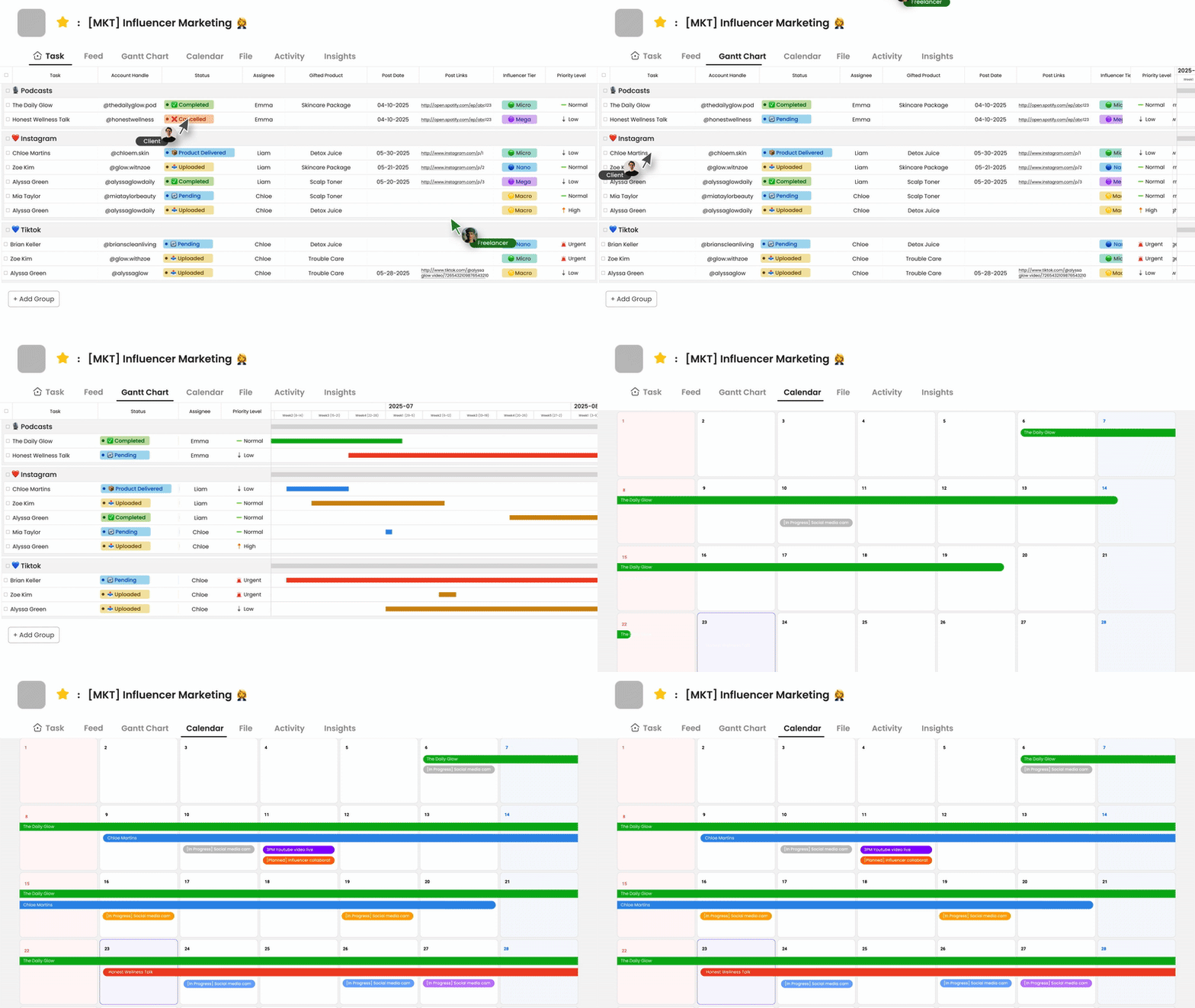
Morningmate is a lightweight work management tool used by over 550,000 teams worldwide. It brings task management, team communication, and file sharing into a single workspace. The interface is built around a Feed view — similar to a social media timeline — so updates, tasks, and announcements flow naturally without requiring anyone to learn a new system from scratch.
It also includes a built-in chat that mirrors the familiar feel of WhatsApp, which means even non-technical team members adopt it quickly. For managers dealing with scattered updates across email threads and personal messenger apps, this is a meaningful difference.
Feature-by-Feature Breakdown
Let’s look at how both tools stack up across the areas that matter most when you’re managing a team.
Task Management
Todoist gives you a solid personal task experience: labels, filters, priority flags, due dates, and subtasks. For one person managing their own workload, it covers the bases well. Shared projects allow basic collaboration, but task context — comments, file attachments, status updates — is limited compared to dedicated team tools.
Morningmate’s task management is designed with team delegation in mind. You can assign tasks with deadlines, attach relevant files, track progress, and keep all discussion about a task in one thread. Nothing gets buried in a DM or lost in an email chain.
Team Communication
Todoist has no native chat. Teams using it for collaboration typically end up pairing it with Slack, email, or WhatsApp — which means you’re back to the fragmentation problem you were trying to solve.
Morningmate includes built-in chat with a familiar, WhatsApp-style interface. This means your team doesn’t need a separate messaging app. Conversations happen alongside the work they relate to, which reduces context-switching and keeps information findable. If scattered communication is your core pain point, this is worth weighing heavily. You can read more about this in our piece on choosing the right team communication tool.
Visibility and Transparency
For a team manager or operations lead, visibility is everything. Harvard Business Review notes that one of the biggest challenges in hybrid and remote work is maintaining clarity around who owns what and where work stands — a problem that personal productivity tools simply aren’t designed to solve.
Todoist gives you visibility into your own tasks. It offers limited views into what teammates are doing, and there’s no dashboard or feed that surfaces team-wide activity at a glance.
Morningmate’s Feed view solves this directly. You get a real-time stream of updates, task completions, and new posts from across your team — without having to chase people for status updates. It functions like a team activity log that everyone contributes to naturally.
Ease of Adoption
Both tools score well here, but for different audiences. Todoist is excellent for individuals who are already productivity-minded and want a frictionless personal system. The learning curve is low for solo use.
Morningmate is designed for teams where not everyone is tech-savvy. The social media-style feed and WhatsApp-like chat mean the interface already feels familiar on day one. Gallup’s workplace research consistently shows that tool adoption drops when employees perceive new software as complicated — which is why Morningmate’s approachability is a genuine operational advantage, not just a marketing point.
File Management
Todoist allows file attachments on tasks, but it isn’t built for document management. Finding an attachment from three weeks ago requires digging through individual task threads.
Morningmate includes file management as a core feature, so shared documents, images, and attachments are organized and searchable. For teams that pass around briefs, reports, or design files regularly, this reduces a surprising amount of daily friction.
Who Should Use Todoist
Todoist makes sense if you’re an individual professional who wants a clean, fast way to manage your personal task list. It’s also a reasonable choice if you’re a very small team — two or three people — who communicate heavily through another channel and just need a shared checklist layer on top.
- Freelancers and solopreneurs managing personal workloads
- Individuals who already have a team communication tool and need task capture only
- People who prefer minimalist, personal productivity systems
Who Should Use Morningmate
Morningmate is the stronger choice when you’re managing a team and need everyone — including less tech-comfortable members — to be aligned, communicating, and moving work forward in one place. It’s particularly well-suited for teams that are currently relying on email or WhatsApp for work coordination and feeling the chaos that comes with that.
- Remote or hybrid team managers who need async visibility
- Operations leads overseeing multiple teams or departments
- Business owners who want a central system without the steep learning curve of tools like Jira or Asana
- Any team currently managing work through email threads or personal messenger apps
If your current setup looks like tasks in email, updates in WhatsApp, and files scattered across personal drives, Morningmate is designed specifically to replace that workflow — without asking your team to become power users overnight. Learn more about making that shift in our guide to replacing email with a team collaboration tool.
The Real Question to Ask Before You Decide
The Morningmate vs Todoist comparison ultimately comes down to one question: are you solving a personal productivity problem or a team coordination problem?
If you’re a manager or business owner trying to get your team aligned — not just yourself — a personal task manager will leave you with gaps. McKinsey research on workplace productivity highlights that the biggest gains come not from individual efficiency tools, but from reducing the coordination overhead that slows teams down collectively.
That’s the gap Morningmate is built to close — and why it’s a fundamentally different kind of tool than Todoist, even though both involve tasks and to-do lists on the surface.
Both tools are good at what they’re designed for. The mistake is using a personal productivity app to solve a team problem, or buying a complex enterprise platform when what you actually need is something simple and usable. Know which problem you’re solving, and the right choice becomes clear.