In recent years, the evolution in project management software and personal productivity tools has surged, dramatically influencing how teams structure their workflows. Among the most prominent tools is Notion, a flexible organizational tool lauded for its multifunctional capabilities. However, when it comes to team collaboration, comparing Notion to dedicated project management software can reveal distinct advantages and potential shortcomings in each camp.
Project management and collaborative efficiency are critical in an era where remote and hybrid work models are becoming the norm. Teams require more than just versatile note-taking abilities; they need solutions that streamline project execution, enhance communication, and improve overall productivity. This article dives into Notion versus project management software for teams, evaluating how each meets team needs and where it might fall short.
By understanding the landscape of these tools, you can make an informed decision about how best to support your team’s unique workflow requirements, ensuring that productivity goals align seamlessly with team capabilities and dynamics.
Understanding Notion as a Collaboration Tool
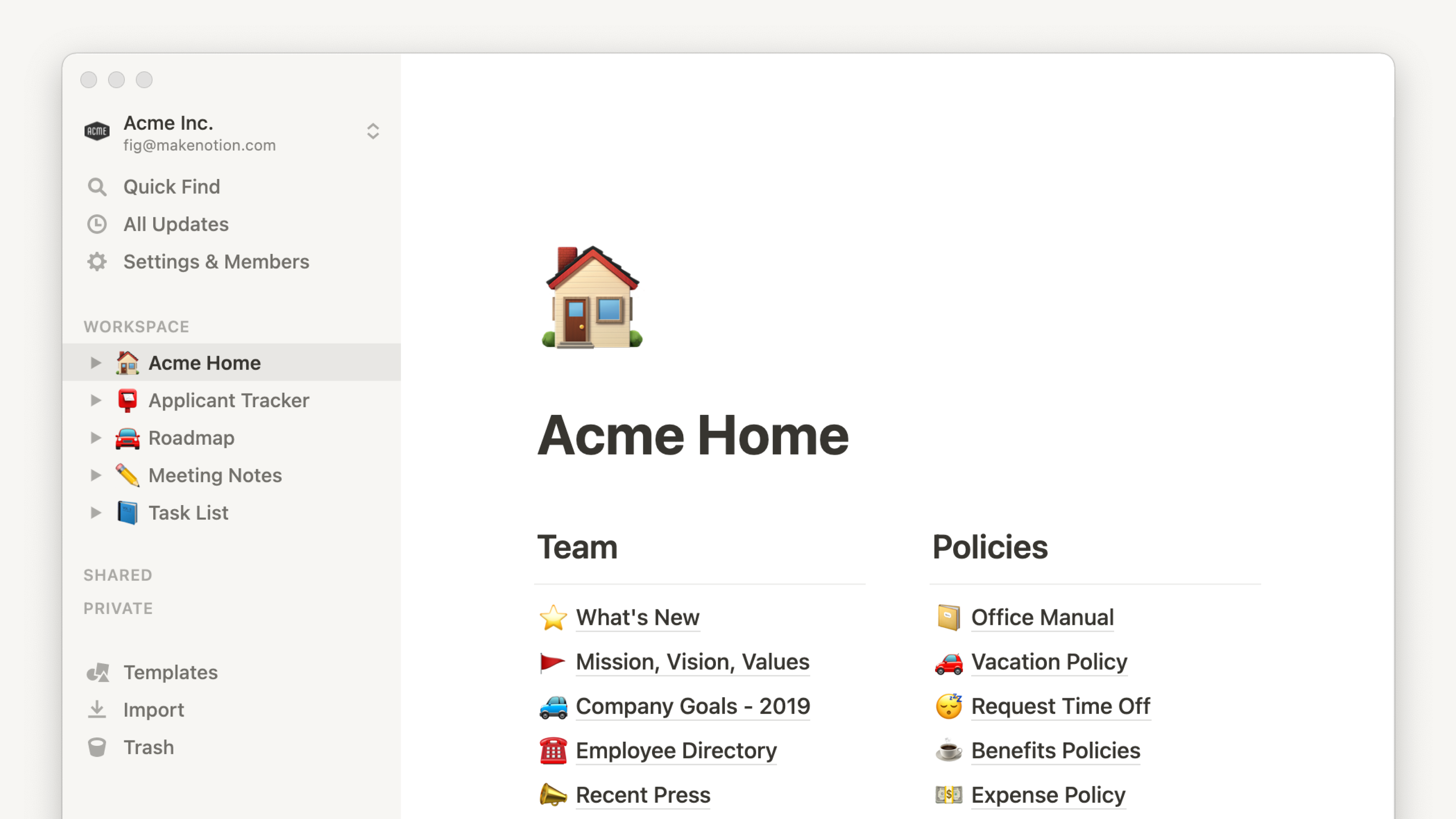
Notion is often hailed for its versatility, allowing users to create customized dashboards that manage everything from notes and documents to very intricate project tasks. Its appeal largely lies in its adaptability, enabling individuals and teams to tailor the workspace to specific needs.
While Notion provides a broad range of functions such as database creation, calendar management, and even simple project tracking, how effective is it for teams managing complex projects? Smaller teams or those focused on creative processes may find Notion perfectly sufficient. Its ability to unify task tracking, documentation, and communication in one space is undeniably convenient.
Common Features of Project Management Software
Project management software, on the other hand, often comes equipped with features designed to handle comprehensive workflows. They typically include advanced scheduling tools, budget tracking capabilities, resource allocation, and detailed reporting.
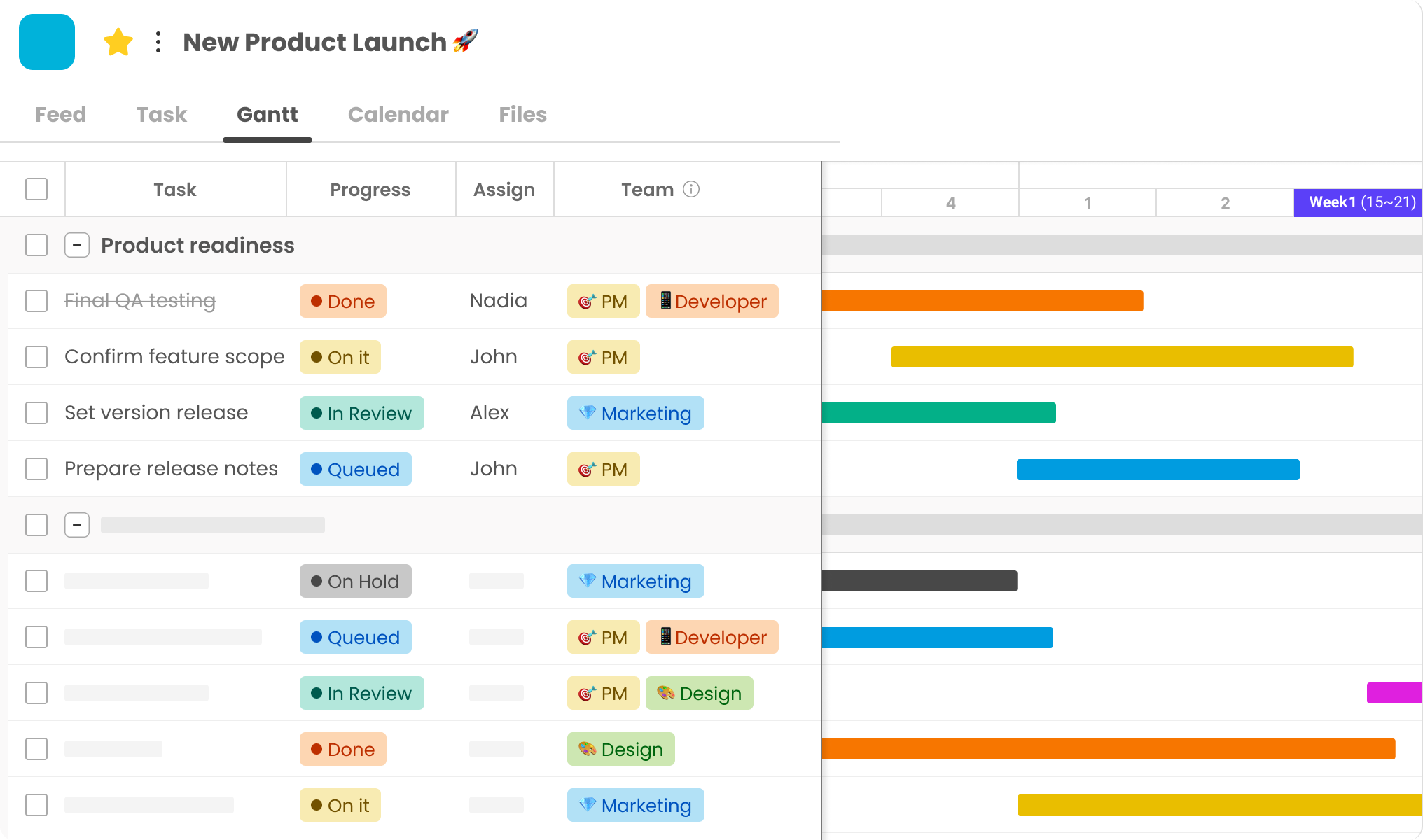
Examples of widely used project management solutions include Trello, Asana, and Morningmate. These platforms are designed with intricate project handling in mind, offering features like Gantt charts, Kanban boards, task dependencies, and more. They are particularly beneficial for larger teams or those managing multifaceted projects with multiple stakeholders.
The Role of Automation in Project Management Software
Another key advantage of dedicated project management software is automation. Many platforms offer advanced automation features that eliminate repetitive tasks, such as automatic task assignments, deadline reminders, and report generation. These tools can significantly reduce manual workload, allowing teams to focus more on strategic tasks.
Comparison: Notion Vs. Project Management Software for Teams
When evaluating Notion versus project management software for teams, it’s crucial to consider the specific needs and workflow preferences of your team. Notion’s flexibility allows for meaningful customization but may lack the sophisticated project tracking features inherent in software designed specifically for project management.
Strengths and Limitations of Notion
Notion’s strengths revolve around adaptability and user personalization. For example, a design team can use Notion to create mood boards, track project iterations, and centralize client communications. However, teams managing intricate tasks might struggle with Notion’s lack of in-depth scheduling and resource management tools.
Advantages of Dedicated Project Management Tools
Team-oriented project management solutions usually provide features that are particularly favored by companies coordinating large-scale operations. Comprehensive features for tracking task progress, team capacity, and workload distribution can dramatically increase efficiency and transparency in complex projects. Product development teams, for example, may find tools like Jira indispensable due to their detailed issue tracking and resolution features.
Case Studies and Practical Applications
Consider a marketing team tasked with launching a multi-channel campaign. Using a platform like Asana could streamline workflows significantly by accommodating the diverse phases and myriad tasks necessary for campaign execution, from content planning to post-launch analysis.
Conversely, a freelance collective might prefer Notion for its capacity to consolidate notes, research, and tasks in fluid, non-linear project progressions.
Making the Right Choice for Your Team
Choosing between Notion and project management software depends heavily on the nature of a team’s projects, size, and collaboration style. Here’s a simple checklist to guide your decision:
- Evaluate the complexity and scope of your projects. Sophisticated projects often require robust tracking tools.
- Consider team size and communication needs. Large teams may benefit more from platforms with extensive communication and collaboration features.
- Assess whether customization or structured task management is more critical to your workflow.
- Determine if automation features are crucial for enhancing productivity and managing recurring tasks.
Integrating Tools for Optimal Performance
In many cases, teams find that integrating Notion with other project management tools provides an optimal balance. This approach leverages Notion’s intuitive documentation and note-taking capabilities while taking advantage of the structured task management provided by dedicated software.
The Future of Team Collaboration Technology in 2025
As we look toward 2025, the landscape of collaboration tools is likely to continue evolving. Emerging technologies such as AI and machine learning are poised to further integrate into project management ecosystems, potentially offering predictive analytics for smarter planning and decision-making.
Tools will not only connect teams more efficiently but will also adapt dynamically to workflow changes, learning from past project data to optimize future task management strategies. The fusion of adaptive technology with human creativity is set to redefine how teams collaborate across industries.
Ultimately, whether you opt for Notion or a specialized project management tool depends on aligning software capabilities with your team’s objectives. By carefully evaluating what’s available and understanding the strengths of each option, you ensure your choice supports not just productivity, but innovation and team satisfaction as well.