Picking the right tool for team communication feels simple until you’re knee-deep in a comparison tab with twelve browser windows open. Google Chat and Slack are two of the most popular options out there, and both have earned their spots at the top of the list — but they serve teams in genuinely different ways. The choice between them can shape how quickly your team responds, how organized your conversations stay, and how much your tool stack costs you every month.
If you manage a team that already lives inside Google Workspace, the answer might feel obvious. But if your team depends on integrations, automation, and deep notification control, Slack might be worth the price difference. This article breaks down what each tool actually does well, where each one falls short, and how to figure out which fits your team — without the marketing fluff.
It is also worth noting that for some teams, neither tool fully solves the real problem: work and communication are still split across different apps. We will get to that too.
What Google Chat Does Well
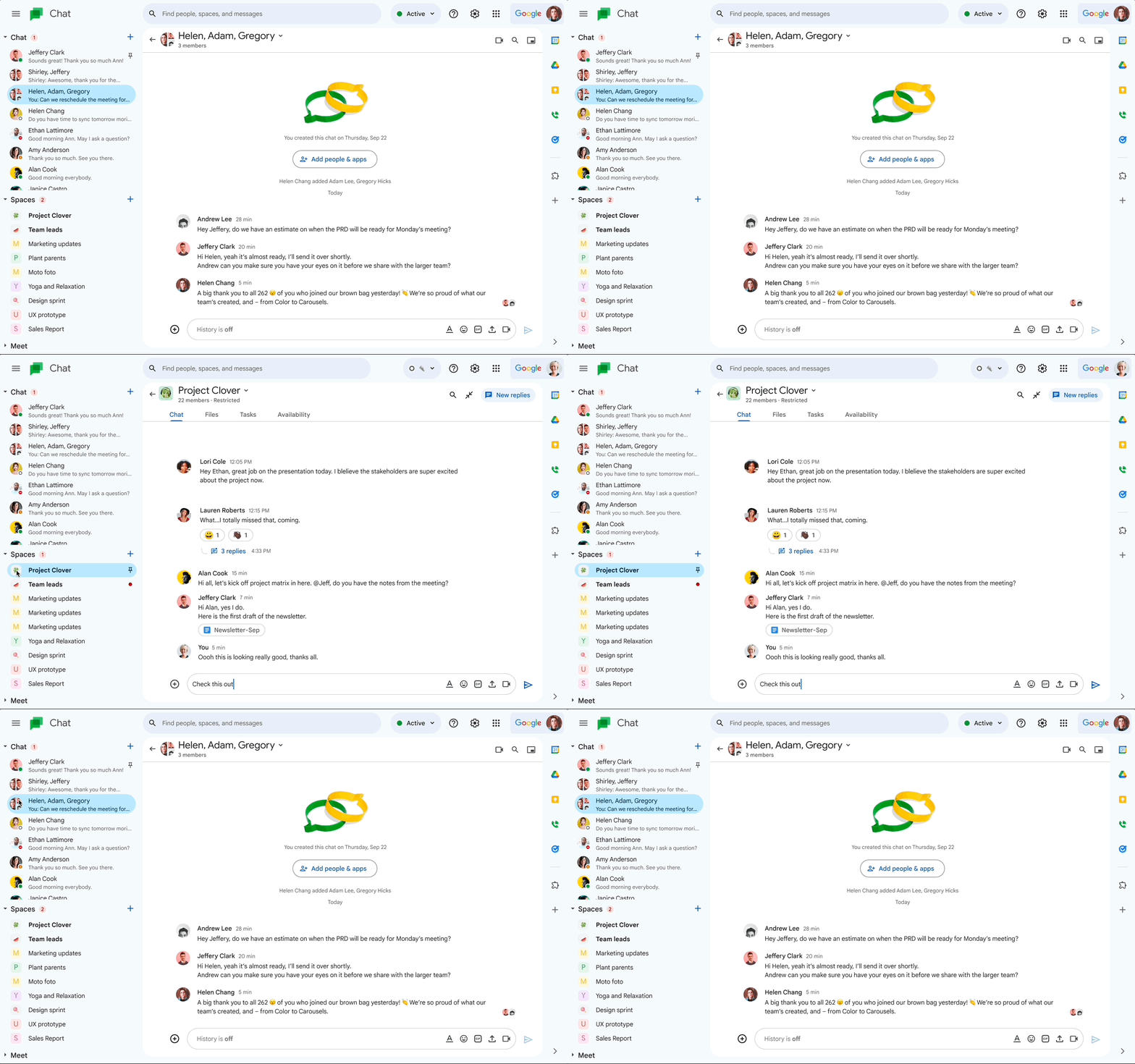
Google Chat is built for teams already inside the Google Workspace ecosystem. If your team uses Gmail, Google Docs, Google Meet, and Google Calendar every day, Chat slots in almost invisibly. You can open a conversation, share a Doc, and jump into a Meet call without switching apps or logging into anything new.
The pricing is also a real advantage. Google Chat is included in most Google Workspace plans, which means teams do not pay extra just to have a messaging layer. For small businesses or budget-conscious operations teams, that matters.
Where Google Chat Falls Short
The tradeoff is feature depth. Google Chat has improved significantly over the past few years, but it still lags behind Slack in areas like threaded conversations, search functionality, and third-party integrations. If your team relies on tools outside of Google — think Salesforce, Notion, Figma, or GitHub — Chat’s integration library feels thin by comparison.
Notification control is another friction point. Teams that need granular control over when and how they get alerted will find Slack’s system more flexible. Google Chat tends to blur the line between urgent and non-urgent messages, which can quietly erode response discipline over time.
What Slack Does Well
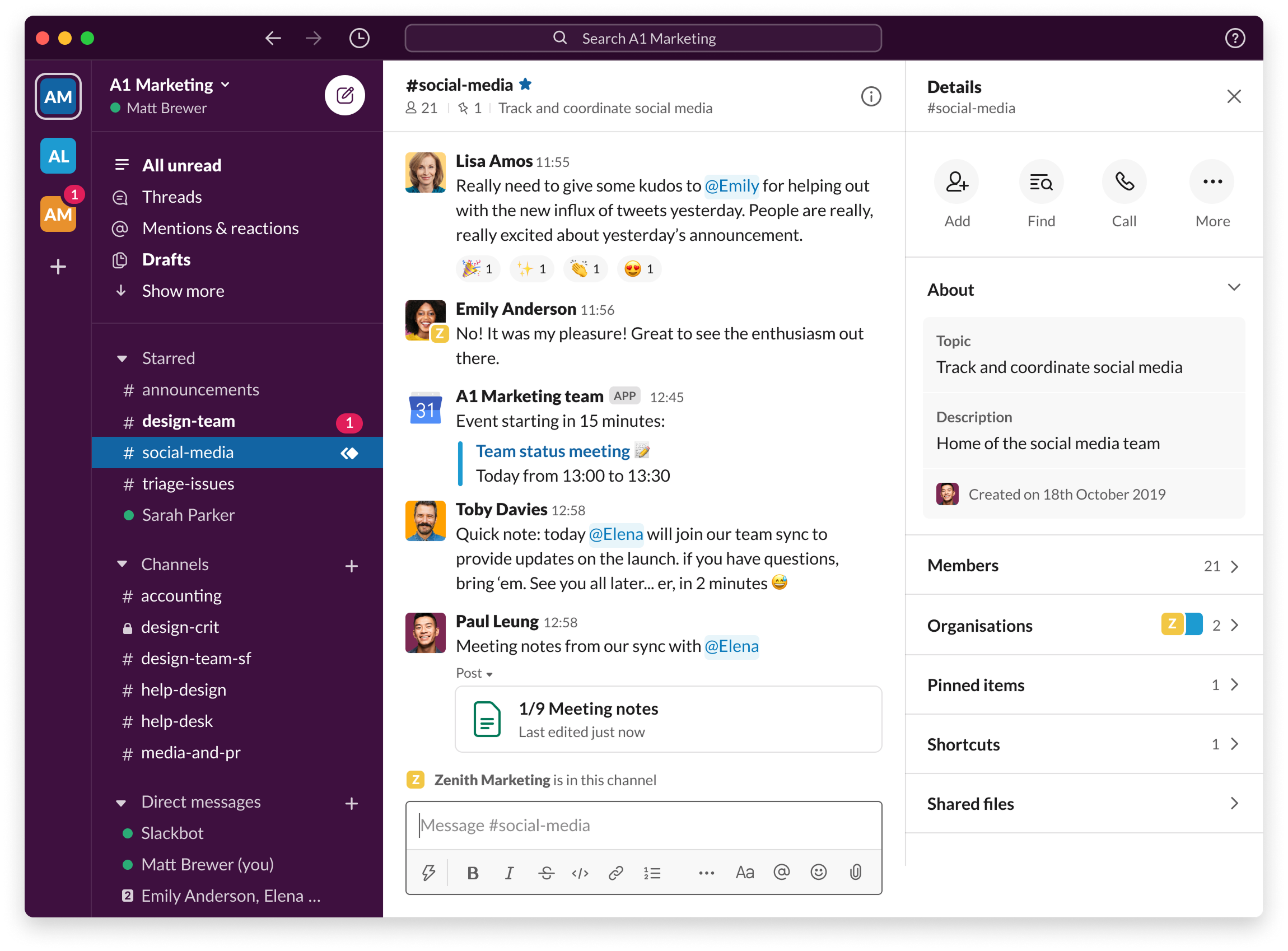
Slack built its reputation on making workplace messaging feel fast and organized. Channels are easy to set up, threads keep side conversations clean, and the search bar actually surfaces what you are looking for. According to Slack’s own research on workplace collaboration, users report spending significantly less time in their email inbox after switching — a meaningful shift for teams drowning in threads.
The integration ecosystem is a genuine differentiator. Slack connects with over 2,600 apps, which means your project management tool, CRM, and support software can all pipe updates directly into relevant channels. For cross-functional teams juggling multiple systems, that centralization reduces a lot of tab-switching.
Where Slack Falls Short
Slack’s biggest criticism is also its most consistent one: it becomes overwhelming fast. Channels multiply, notifications pile up, and unless someone actively manages the workspace, it starts to feel like a noisier version of the email problem you were trying to escape. Harvard Business Review has noted that always-on communication tools, when unstructured, can fragment focus and reduce the quality of deep work — a risk that scales with team size.
Cost is the other pressure point. Slack’s paid plans have increased in price, and for teams over 20 or 30 people, the bill adds up quickly. Organizations that need advanced features like message history beyond 90 days are pushed toward higher tiers — a friction point many operations leads feel acutely at budget review time.
Google Chat vs Slack: A Direct Comparison
Here is a side-by-side look at how both tools stack up across the dimensions that matter most for most teams:
- Pricing: Google Chat is included in Workspace plans (starting around $6/user/month). Slack’s Pro plan starts at $7.25/user/month but limits message history on free tiers.
- Integrations: Slack wins with 2,600+ integrations. Google Chat integrates best within the Google ecosystem.
- Search: Slack’s search is faster and more accurate across channels and file attachments. Google Chat search is improving but still basic.
- Threads: Slack’s threading is mature and flexible. Google Chat has threaded Spaces but the UX is less intuitive.
- Video/Calls: Google Chat integrates directly with Google Meet. Slack has Huddles for quick audio/video, but full video leans on external tools.
- Mobile experience: Both are solid. Slack’s mobile app is more feature-complete for power users.
- Ease of adoption: Google Chat is easier for teams already in Workspace. Slack has a learning curve but a more guided onboarding.
The Deeper Problem Both Tools Share
Here is the honest reality: both Google Chat and Slack are communication tools, not work management tools. That distinction matters more than most teams realize. You can have perfectly organized channels and still have no clear picture of who is responsible for what, what the status of a project is, or where a decision was actually made.
McKinsey research on workplace communication consistently finds that employees spend a disproportionate amount of their week searching for information and waiting on responses — even in teams that use modern messaging tools. The tool is not the problem. The lack of structure around work is.
This is where teams often find they need something beyond a chat app. A tool like work management software that combines communication with task tracking tends to close that gap more effectively than using a chat tool alongside a separate project board.
Morningmate is built for exactly this scenario. It combines a built-in chat — with a familiar interface similar to WhatsApp, so adoption is fast even for non-technical teams — with task management and a feed-style view of team activity. Instead of toggling between Slack for messages and Asana for tasks, your team has one place where updates, assignments, and conversations live together. Over 550,000 teams use it to replace the fragmented back-and-forth that messaging apps alone cannot solve.
How to Choose Between Google Chat and Slack
The right answer depends on your team’s specific situation. Here is a practical framework to help you decide:
Choose Google Chat if:
- Your team is already fully embedded in Google Workspace and rarely uses tools outside that ecosystem
- Budget is a constraint and you want to avoid paying for an additional communication layer
- Your team is small (under 20 people) and communication volume is manageable
- You need reliable video meeting integration without extra setup
Choose Slack if:
- Your team uses a wide variety of tools and needs strong integration support
- You run cross-functional projects where notification control and channel organization are critical
- Your team is distributed across time zones and needs robust async messaging features
- You want automation workflows built directly into your messaging layer
Consider a different approach if:
If your real pain point is not just chat but the fact that work coordination is scattered across apps, a collaboration tool that combines messaging with task management will serve you better than either option. Morningmate’s feed view, for example, lets your team see updates on tasks, files, and conversations in one scrollable view — the kind of structure that prevents the “I missed that message” problem from derailing projects.
What Teams Often Get Wrong When Choosing a Chat Tool
Most teams evaluate communication tools based on features and price, which makes sense. But the factor that actually determines success is adoption. A tool your team does not actually use consistently creates more problems than no tool at all.
Before you commit to either Google Chat or Slack, ask these questions:
- How tech-comfortable is your team? A tool with a steeper interface will face quiet resistance.
- Will people actually check it, or will email still be the fallback for anything important?
- Do you have a plan for how channels or spaces will be organized before you launch?
- Is communication your only gap, or is task visibility also a problem?
- Who will own the tool setup and ongoing management?
Teams that skip these questions tend to cycle through tools every 18 months without resolving the underlying problem. The goal is not a better chat app — it is a clearer way of working together.
If you are managing a hybrid or remote team and realizing that chat alone is not enough, it is worth exploring how asynchronous communication strategies can improve your team’s coordination regardless of which tool you pick. Morningmate is designed with async-first teams in mind — its task feeds and structured updates mean your team does not have to be online at the same time to stay aligned.