In an era where digital efficiency is paramount, many businesses seek robust work management solutions to streamline their operations. Google Workspace emerges as a popular choice, known for integrating tools like Gmail, Docs, Sheets, and more into a cohesive suite aimed at enhancing productivity. However, when it comes to task management, it’s crucial to evaluate where Google Workspace best serves organizations and where it may not fully meet expectations.
Understanding the capabilities and limitations of Google Workspace in task management can empower businesses to optimize their workflows effectively. Integrating familiar tools can drive collaboration, but recognizing gaps is equally important for maintaining an edge in a competitive market. This examination will not only delve into how Google Workspace facilitates task organization but also explore alternative solutions that could complement its use.
Join us as we dissect the advantages and challenges of using Google Workspace for task management, providing insights and practical advice to make informed decisions for your business’s unique needs.
Strengths of Google Workspace for Task Management
Google Workspace excels in several areas as a task management tool. Its native integration with various Google apps offers seamless functionality and ease of use for teams familiar with its environment.
One of its primary strengths lies in its collaborative nature. Tools like Google Docs and Sheets allow multiple users to work simultaneously, crucial for teams handling projects that require constant updates and input from different members. Automatic saving and version history ensure that no data is lost, providing a safety net for collaborative work.
- Cloud-based accessibility ensures data is available anywhere.
Moreover, Google Calendar offers scheduling tools that align with task deadlines, helping teams to effectively manage and prioritize their workloads. Businesses can seamlessly align their tasks with meeting timelines, ensuring a synchronized workflow across the board.
Limitations of Google Workspace in Task Management
Despite its strengths, Google Workspace has notable limitations when handling comprehensive task management requirements. One significant limitation is the lack of a dedicated task management tool comparable to specialized platforms like Asana or Trello.
This absence often forces teams to use third-party integrations or workarounds to achieve functionalities such as Kanban boards or advanced analytics, which can complicate workflows and reduce efficiency.
- Limited task visualization options.
- Reliance on third-party tools for advanced features.
- Potential for fragmented workflow with excessive integrations.
Additionally, while Gmail tasks offer basic to-do listing, the feature doesn’t provide extensive project management capabilities, impacting the ability to handle complex task dependencies or cross-project oversight.
Practical Steps for Enhancing Google Workspace Task Management
To mitigate the limitations and capitalize on Google Workspace’s strengths, businesses can adopt several strategies. By customizing workflows and strategically incorporating additional tools, companies can enhance task management while maintaining the efficiencies of the Google ecosystem.
Firstly, setting up a centralized document hub using Google Drive can help maintain an organized file structure, consolidating project resources for better accessibility and collaboration.
Businesses should then explore the use of third-party add-ons or integrations that offer features like Kanban boards, advanced analytics, and detailed reporting to bridge functional gaps. Tools like Zapier can automate repetitive tasks, freeing up team resources for more strategic work.
- Create a centralized hub in Google Drive.
- Use third-party integrations for advanced task features.
- Automate routine tasks with tools like Zapier.
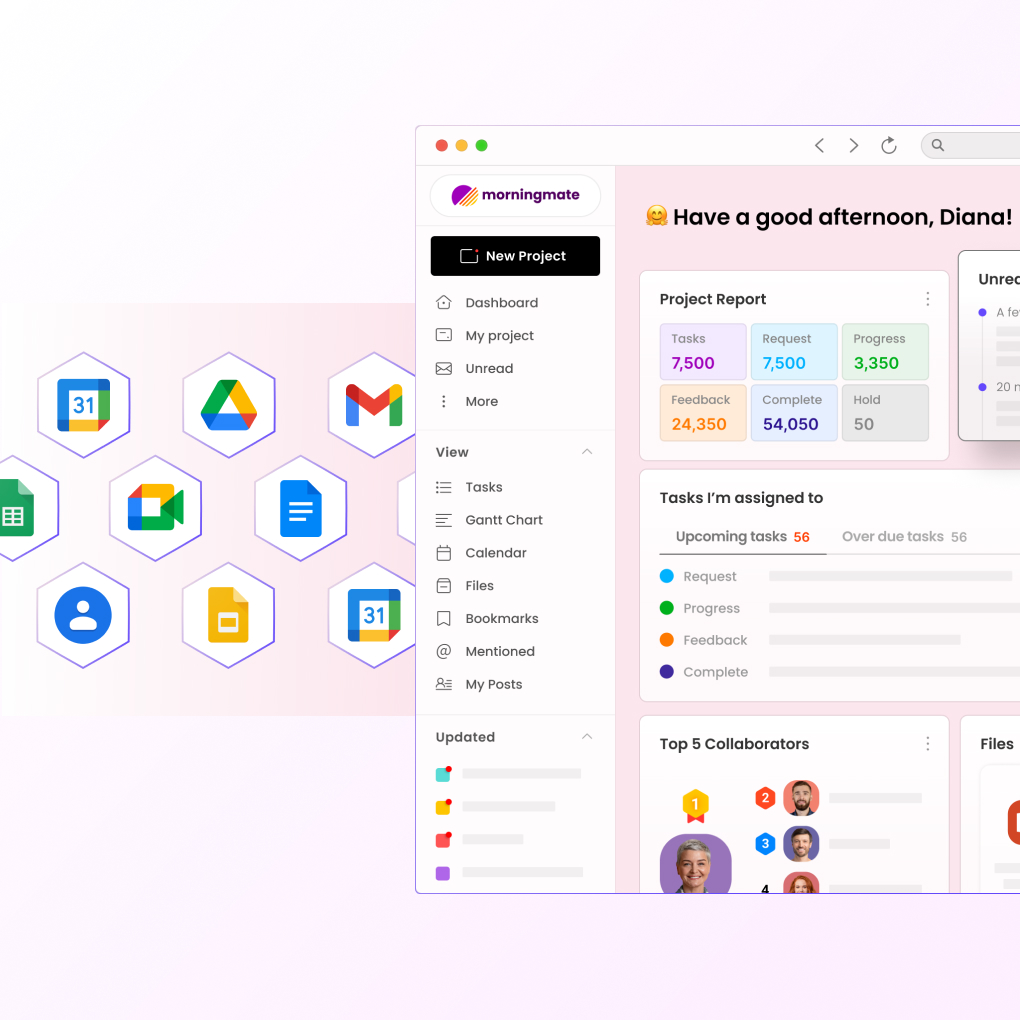
Early engagement with Morningmate, a comprehensive work management tool, can offer these advanced capabilities, supplementing what Google Workspace lacks and forming a formidable task management ecosystem.
Future Considerations for Google Workspace Users
Looking toward future developments, businesses need to consider how emerging technologies and updates in task management solutions could affect Google Workspace usage. As work environments continue to evolve, adaptability remains a key factor for sustained organizational success.
Continuous evaluation and adaptation to new task management trends will enable businesses to extract maximal value from their chosen tools. Enhanced AI tools and machine learning capabilities could potentially introduce more efficient ways to handle tasks within Google Workspace, reducing manual overhead further.
- Stay updated with Google Workspace developments.
- Adapt to AI-driven task management innovations.
- Regularly assess business needs against tool capabilities.
For businesses seeking to remain agile, consistent reassessment of Google Workspace’s role in their task management strategy alongside other innovative tools like Morningmate can provide a well-rounded approach to managing tasks efficiently.
Conclusion: Balancing Google Workspace with Enhanced Task Solutions
Ultimately, using Google Workspace for task management requires a balanced approach, coupling the tool’s inherent strengths with suitable solutions for its shortcomings. By doing so, businesses can enjoy a comprehensive, efficient task management system that aligns with their operational needs.
Integrating Google Workspace with powerful task management suites can create a tailored environment where productivity thrives. Organizations must evaluate their specific requirements, taking actionable steps toward integrating the necessary tools to enhance their existing setups.
Making the leap to include a tool like Morningmate can significantly elevate productivity standards, offering capabilities that complement Google Workspace. Embrace this strategy to ensure your business remains on the cutting edge of task management in 2026 and beyond.