Google Workspace is where most teams communicate and collaborate. Email, documents, calendars, and meetings all live in one familiar ecosystem, making it easy to share information and stay connected. For many teams, it forms the foundation of their daily work.
But collaboration tools don’t automatically translate into effective work management. As projects become more complex, teams need clearer visibility into priorities, ownership, timelines, and progress—areas where Google Workspace starts to show its limits. Without structure around how work moves, teams often rely on manual coordination or scattered processes to stay on track.
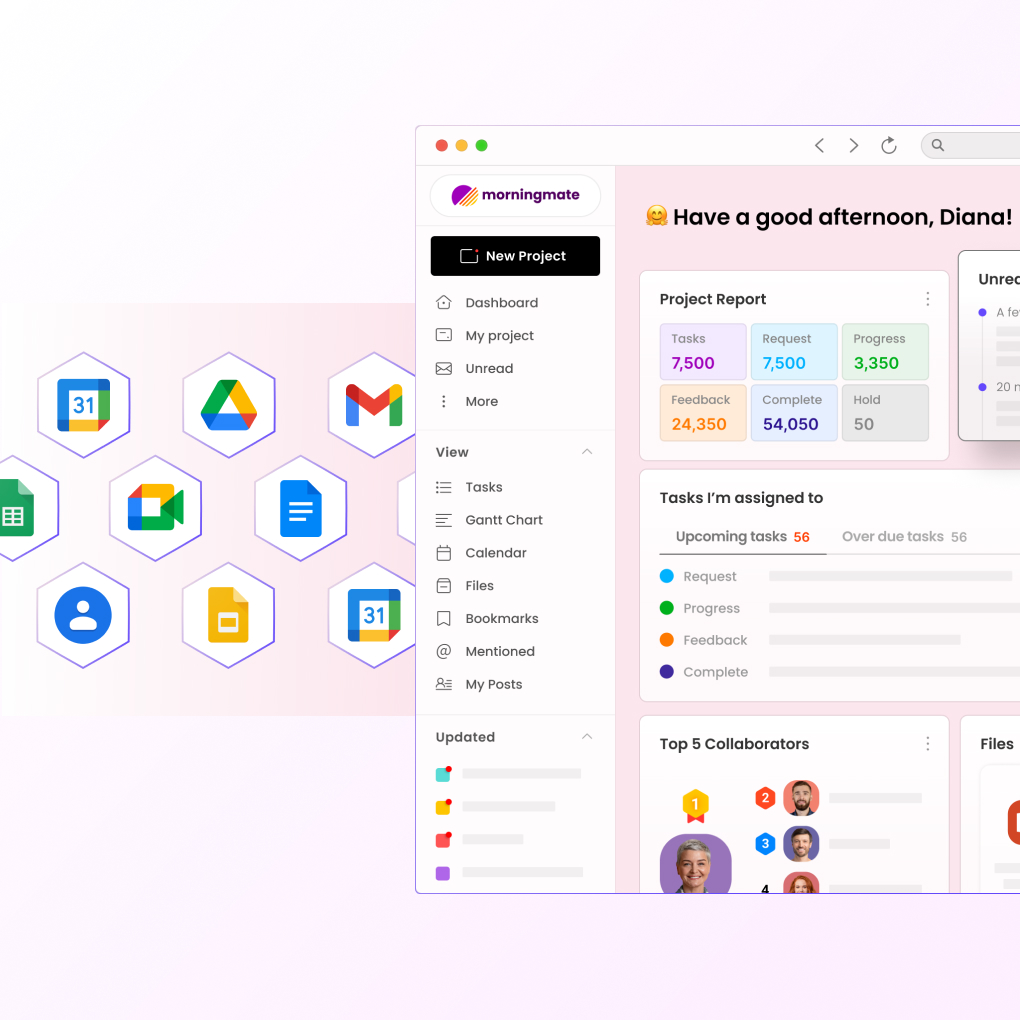
This article explores why teams often pair Google Workspace with a dedicated work management tool, and how that combination supports better execution. It also looks at how solutions like Morningmate complement Google Workspace by adding the structure, visibility, and workflow control teams need to manage work at scale.
The Limitations of Google Workspace for Project Management
While Google Workspace excels in offering basic collaborative features, it falls short in certain areas crucial for comprehensive project management. Its native tools like Google Drive and Google Docs are excellent for document storage and collaborative editing, but they lack advanced capabilities for managing complex tasks and projects.
For teams to thrive, they must navigate challenges such as task dependencies, timelines, and resource allocation with precision. A work management tool provides these capabilities, ensuring that teams can plan, execute, and monitor projects efficiently. Without a dedicated system, critical tasks may slip through the cracks, affecting overall project outcomes.
Enhancing Collaboration with a Work Management Tool
Collaboration is at the heart of any successful team, and while Google Workspace facilitates communication through tools like Google Meet and Gmail, a work management tool takes collaboration to the next level. It allows teams to track discussions within the context of specific tasks or projects, providing visibility into the project’s status and history.
With a work management tool, team members are empowered to comment on tasks, attach relevant files, and update statuses in real-time, ensuring everyone is on the same page. This level of detailed interaction not only improves communication but also builds accountability across teams.
- Centralized task management and tracking
- Increased transparency in communication
- Real-time updates and notifications
Morningmate, for instance, offers a suite of tools designed to enhance collaboration, making it a perfect complement to Google Workspace.
Streamlining Workflows for Enhanced Productivity
A major advantage of using a work management tool is its ability to streamline workflows. While Google Workspace provides essential functions for performing individual tasks, combining it with a work management platform ensures that these tasks align within a larger framework, addressing business objectives efficiently.
Work management tools provide features like Gantt charts, Kanban boards, and task automation that help teams visualize their workflow, identify bottlenecks, and optimize processes. These features are critical for teams engaged in complex projects with tight deadlines, as they allow for quick adjustments and reallocations of resources as needed.
Implementing a seamless workflow not only increases efficiency but also reduces stress for team members, leading to a more productive and satisfied workforce. This integration can be a key differentiator for businesses aiming to outpace competitors and innovate consistently.
Managing Resources and Deadlines Effectively
Resource management is another area where Google Workspace tools have limitations. While they offer the basics of communication and scheduling, managing multiple resources across various projects often requires more sophisticated solutions. A work management tool aids teams by providing a centralized platform where resources can be efficiently allocated to avoid overcommitment.
With features like capacity planning and workload management, work management tools ensure that resource usage is optimized, workloads are balanced, and deadlines are met without burning out employees. This functionality supports the sustained growth and success of any organization.
- Track and allocate resources efficiently
- Monitor project timelines and adjust as needed
- Prevent resource overcommitment
Incorporating a tool like Morningmate can help manage resources effectively, ensuring your team’s potential is fully realized.
Creating Long-Term Impact with a Work Management Tool
The integration of a work management tool with Google Workspace not only enhances immediate productivity but also supports long-term strategic planning. By managing projects systematically, teams can analyze past performance data, gain insights into future opportunities, and strategize accordingly to achieve business objectives.
This integration fosters a culture of continuous improvement, as teams can reflect on completed projects, identify areas for enhancement, and implement changes effectively. It enables organizations to evolve with emerging trends and maintain a responsive approach to the market’s fluctuations.
For companies determined to leave a lasting impact, leveraging a work management tool alongside Google Workspace is crucial for achieving a cohesive vision, setting realistic goals, and executing plans efficiently.
Conclusion: Embrace the Power of a Work Management Tool with Google Workspace
In conclusion, while Google Workspace is an indispensable asset for many teams, integrating a work management tool is essential for a well-rounded productivity suite. The advanced features offered by such tools provide the support needed for managing complex projects, ensuring robust collaboration, and optimizing resource allocation effectively.
For businesses aiming to streamline processes and drive innovation, exploring solutions like Morningmate can be a game-changer in enhancing productivity and achieving long-term goals. As the workplace continues to evolve in 2026, staying ahead requires adopting tools that not only meet but exceed your team’s needs.
Take your team’s productivity to new heights by combining the power of Google Workspace with a comprehensive work management tool today. Experience the synergy and unlock unprecedented success.