Padlet has long been a go-to tool for visual brainstorming and collaborative boards. It’s simple, colorful, and easy to pick up. But if you’re running a team that needs more than a digital sticky-note wall — if you need tasks assigned, conversations tracked, and files organized — you’ve probably started wondering whether there’s a better fit.
The truth is, Padlet was built for education and lightweight idea-sharing. When your team starts using it for project updates, task tracking, or cross-department coordination, things get messy fast. Posts pile up, ownership gets blurry, and nothing is actionable. That’s not a Padlet problem — it’s just not what Padlet was designed for.
If you’re looking for a Padlet alternative that actually supports how your team works — with real task management, built-in communication, and a structure your whole team can follow — this guide is for you.
Why Teams Outgrow Padlet
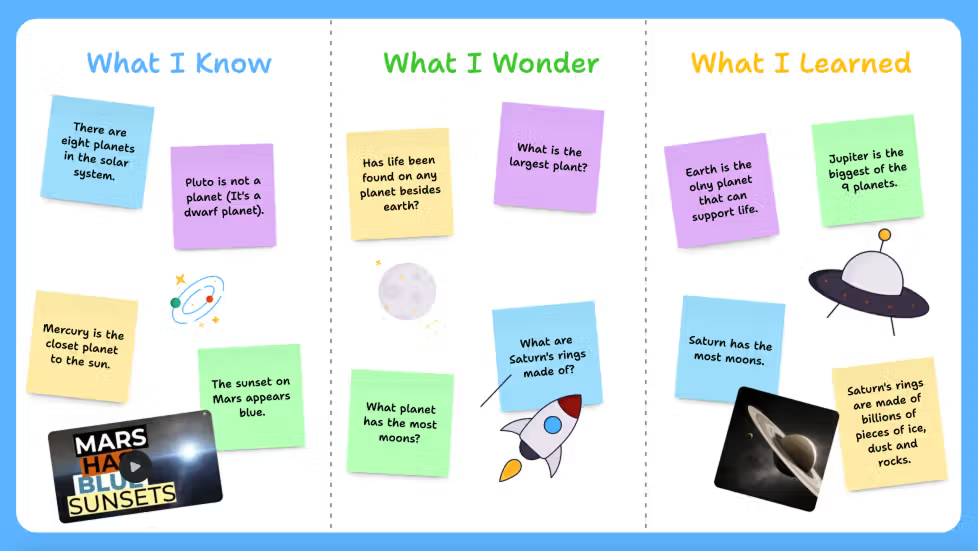
Padlet is great for a classroom activity or a one-off brainstorm. But workplace collaboration has different demands. You need accountability. You need to know who is doing what, by when, and whether it’s done. A board of cards doesn’t give you that — at least not at scale.
According to Gallup’s research on workplace engagement, teams with clear role clarity and structured communication are significantly more productive than those operating in ambiguous environments. Visual boards with no task logic or ownership structures tend to add noise rather than clarity.
Here are the most common complaints teams have when they try to use Padlet for ongoing work collaboration:
- No native task assignment or due dates
- No way to track progress or completion status
- Communication happens outside the tool (back to WhatsApp or email)
- Hard to search past content or find specific updates
- No file management or structured storage
- Boards become cluttered and hard to navigate over time
Sound familiar? These are signs your team needs a proper team collaboration tool, not just a visual board.
What to Look for in a Padlet Alternative
Before jumping to a list of tools, it helps to know what you actually need. Not every team has the same pain points, and the best Padlet alternative for your team depends on where the biggest gaps are.
Task Management That Drives Accountability
A good collaboration tool lets you convert ideas into tasks — with assignees, deadlines, and status tracking. This is the single biggest thing Padlet lacks for workplace use. Look for tools where tasks are a core feature, not an afterthought.
Communication Built Into the Workflow
When chat lives outside your work management tool, context gets lost. Your team ends up copy-pasting updates between apps or losing important decisions in a WhatsApp thread. The best alternatives keep conversation connected to the work itself.
Ease of Use for Non-Technical Teams
One reason Padlet is popular is that anyone can use it without training. Your Padlet alternative should have the same low barrier to entry — especially if your team includes people who aren’t comfortable with complex project management software.
Organized File and Knowledge Management
Teams share documents, images, and references constantly. A solid alternative should store and organize these files in a way that’s easy to retrieve — not buried in a chat scroll or scattered across email attachments.
Top Padlet Alternatives for Team Collaboration
Here are some of the most commonly considered alternatives, with an honest look at what each one does well and where it falls short for team collaboration.
Morningmate
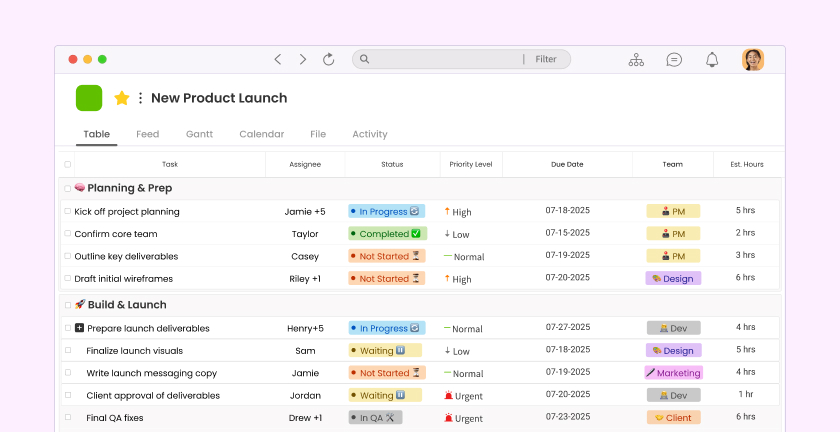
Morningmate is a lightweight work management tool built around task management, team communication, and file organization — all in one place. It’s used by over 550,000 teams worldwide, including many that made the switch specifically because they needed more structure than a visual board could offer.
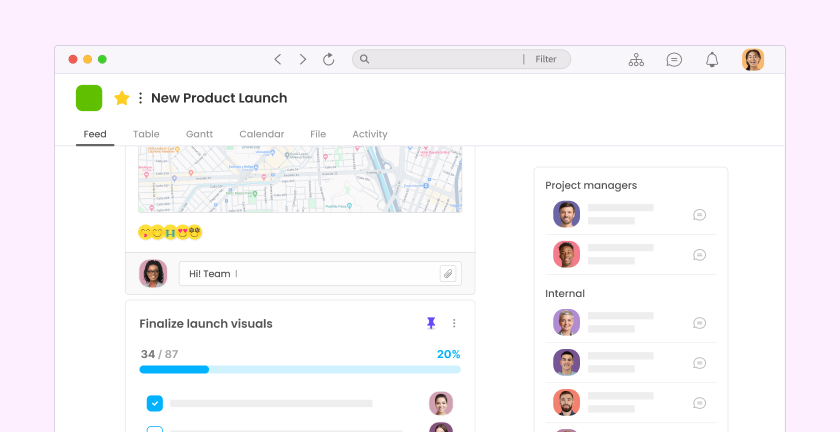
What makes Morningmate stand out as a Padlet alternative is its Feed view — a social media-style interface where your team’s work updates, task posts, and announcements appear in a familiar, scrollable format. If your team already knows how to use Instagram or LinkedIn, they’ll feel at home immediately. No onboarding marathon required.
The built-in chat in Morningmate works like WhatsApp — threaded, instant, and organized by channels or direct messages. This means your team can discuss a task right alongside the task itself, without switching apps. For managers tired of chasing updates across three different platforms, this alone is a significant upgrade.
Morningmate is particularly well-suited for hybrid and remote teams that need async communication without losing visibility. Tasks can be created, assigned, and tracked with due dates and status labels, so nothing slips through the cracks.
Notion
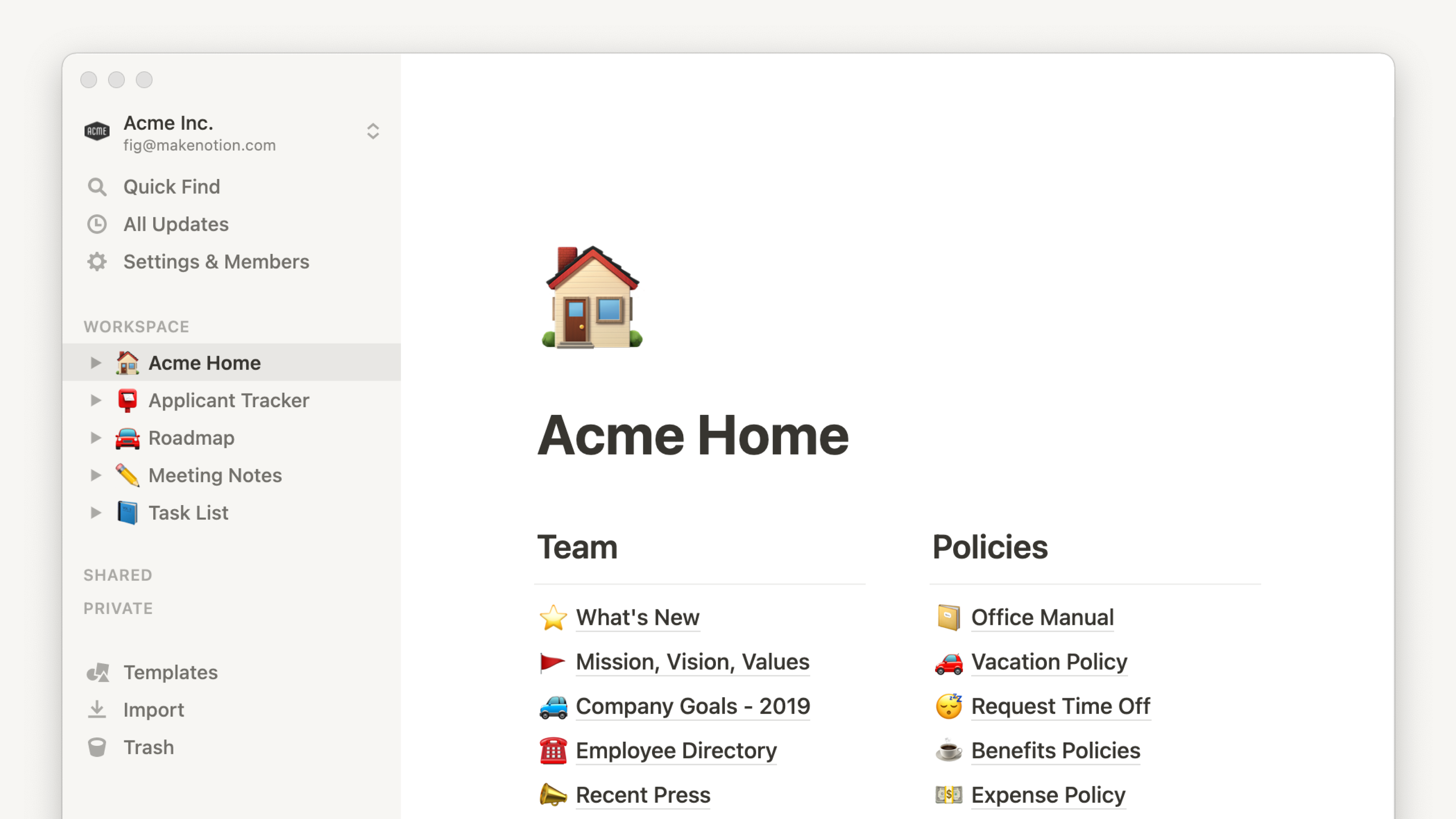
Notion is a powerful workspace tool that handles docs, databases, and task boards. It’s highly flexible, which is both its strength and its weakness. For teams with a dedicated admin who can set it up properly, Notion can be excellent. For teams who just want to get going quickly, the learning curve can be steep.
Notion doesn’t have a built-in real-time chat feature, which means communication still tends to leak out to Slack or WhatsApp. It’s a strong Padlet alternative for knowledge management but may require more setup time than many small or non-technical teams want to invest.
Trello
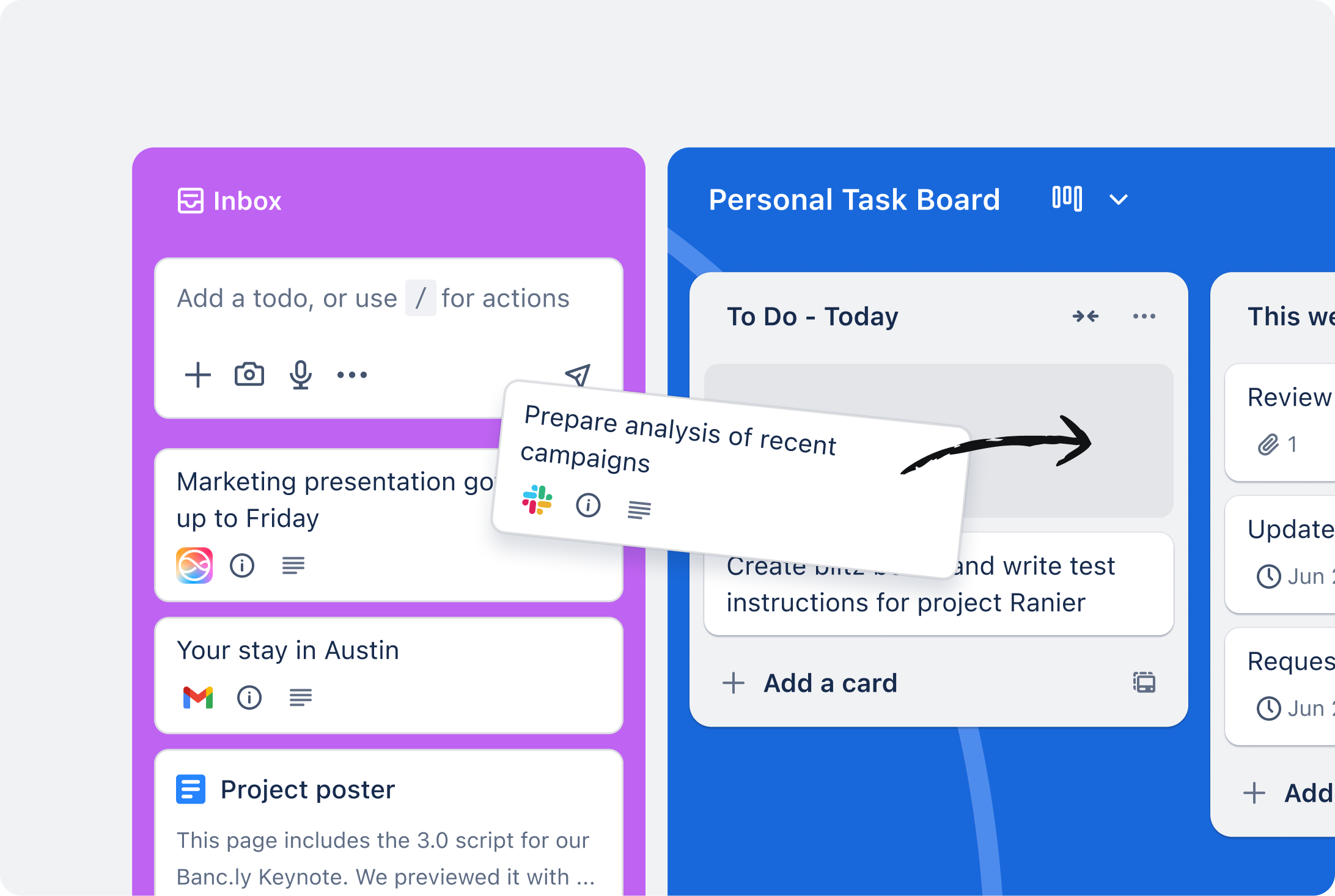
Trello uses a Kanban-style board interface that many teams find intuitive. It’s great for visualizing workflow stages and is very easy to start using. However, like Padlet, Trello lacks a native chat and requires third-party integrations for many features that other tools include out of the box.
Trello works well for small teams managing simple projects. For growing teams that need deeper project management or cross-team coordination, it can start to feel limited.
Microsoft Teams
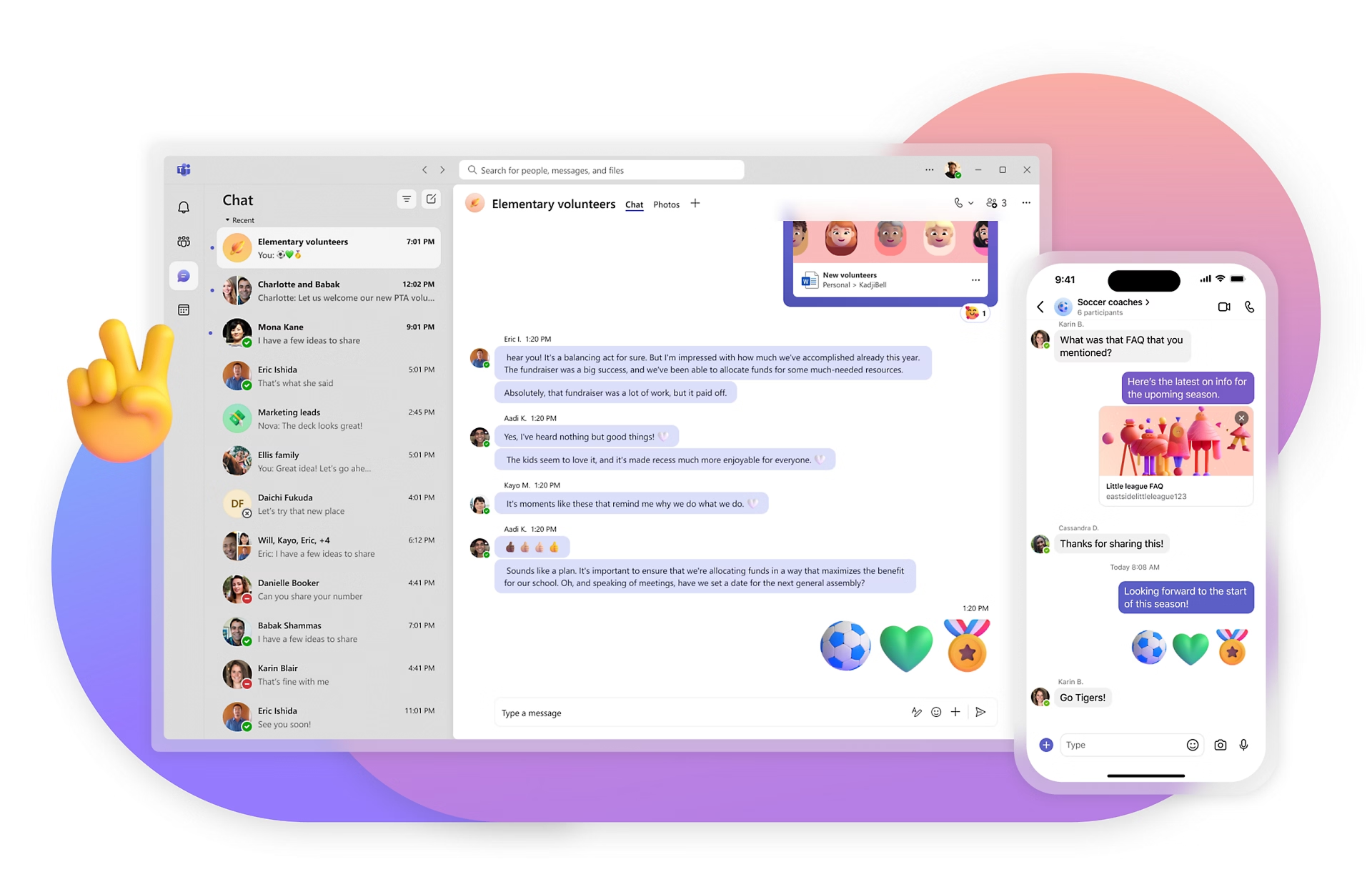
Microsoft Teams is a robust enterprise communication platform. If your company is already on Microsoft 365, Teams is a logical choice. That said, it can feel heavy and complex for smaller teams, and its project management capabilities depend largely on integrations with other Microsoft tools like Planner or SharePoint.
For non-technical teams or businesses that don’t need enterprise-scale infrastructure, Teams can be overkill — and the interface isn’t always the most intuitive for new users.
ClickUp
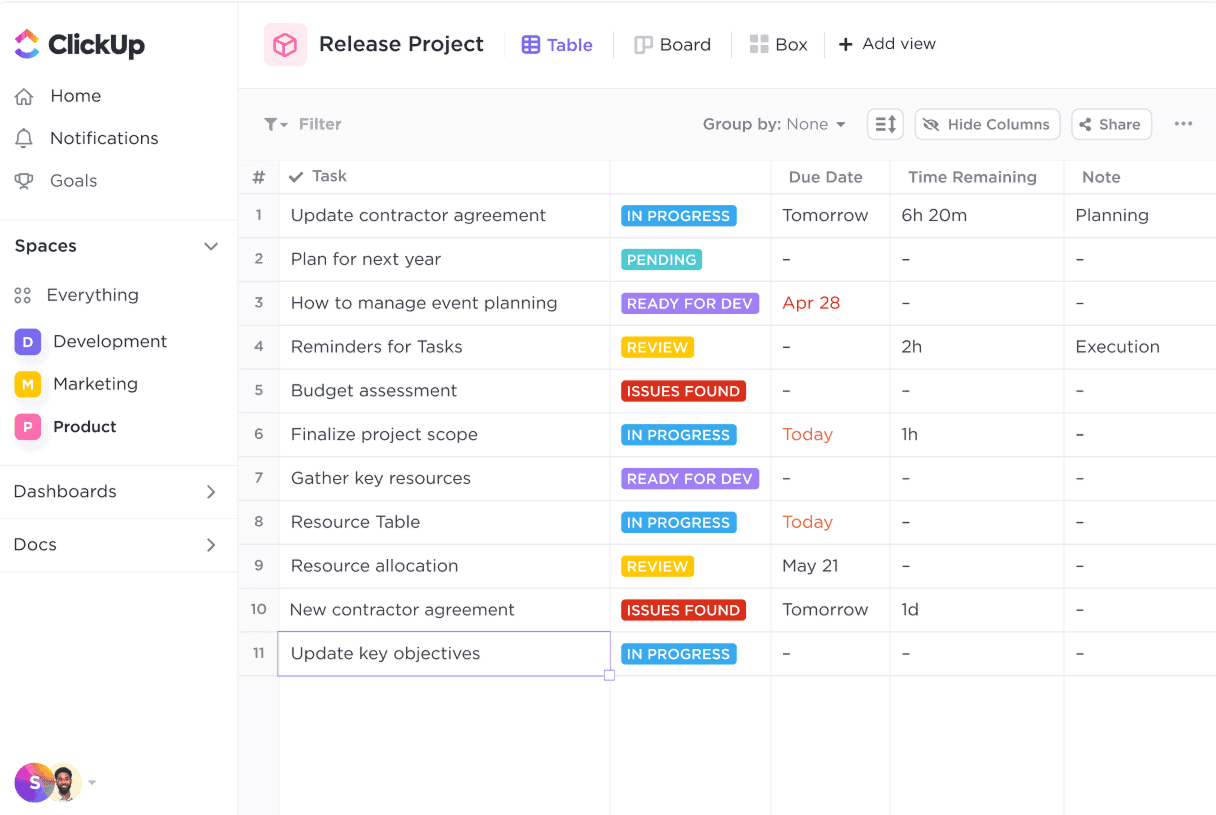
ClickUp is feature-rich and offers task management, docs, goals, and chat in one platform. It’s a serious contender for teams that need comprehensive work management. The trade-off is complexity — ClickUp has a lot of features, and setting it up can feel overwhelming without guidance.
Teams who need a highly customizable system will appreciate ClickUp. Teams who want something simple and operational from day one may find it more than they bargained for.
How to Choose the Right Alternative for Your Team
Switching tools is a real investment of time and energy. Before you commit, run through these questions with your team or management group:
- What is your team’s biggest frustration right now? Is it scattered communication, lack of task visibility, or poor file organization? Identify the root problem first.
- How technical is your team? If you’re managing a sales team, a logistics crew, or a customer support unit, you want a tool people will actually use — not one that requires IT support to configure.
- Do you need real-time chat or is async enough? Some teams communicate in real-time constantly. Others work across time zones and need async-first tools.
- What’s your budget? Free tiers are tempting, but check what features are gated. A tool that looks free often locks the most useful features behind a paywall.
- How fast do you need to get started? If you need your team up and running this week, prioritize tools with minimal onboarding friction.
Teams that align on shared tools and communication norms see measurable improvements in both efficiency and morale. The right tool isn’t the one with the most features — it’s the one your team actually adopts and uses consistently.
Making the Switch Without Disrupting Your Team
Changing collaboration tools mid-workflow can cause friction if not handled carefully. Here’s a simple approach to make the transition smooth:
Start with a Pilot Group
Don’t roll out a new tool to the entire company at once. Pick one team or department to test it first. Gather their feedback after two weeks and use it to refine your setup before a wider rollout.
Migrate Active Work First
Don’t try to move everything over at once. Start by creating your current active projects or tasks in the new tool. Archive old Padlet boards but don’t delete them until the team is comfortable.
Set Clear Norms From Day One
Agree on how your team will use the new tool. Which channel is for urgent updates? Where do files go? How should tasks be named? A short team agreement document goes a long way in preventing the same chaos from reappearing in a new platform.
Get Buy-In by Showing the Benefit
People resist change when they don’t see the point. Show your team a concrete before-and-after: this is how we tracked the last project (scattered, painful), and this is how we’ll track the next one. Make the benefit tangible, not abstract.
If you’re considering Morningmate, the onboarding is designed to be quick — the familiar feed and chat interfaces mean most team members get comfortable without any formal training. That alone removes one of the biggest barriers to adoption for non-technical teams.
The Bottom Line
Padlet is a charming tool for what it was built to do. But if your team has grown beyond brainstorming boards and needs real coordination, task accountability, and structured communication, it’s time to find something better suited to how work actually happens.
The best Padlet alternative isn’t necessarily the most powerful one — it’s the one that fits how your team thinks and works. For non-technical teams or growing businesses that need simplicity without sacrificing structure, tools like Morningmate offer a practical middle ground: enough power to manage real work, with an interface simple enough that everyone actually uses it.
Start by identifying your team’s real bottleneck, pick a tool that solves it without introducing new complexity, and run a short pilot before committing. Your team deserves a workspace that works — not just a wall of sticky notes.