Notion has become a go-to tool for individuals who love building elaborate wikis, databases, and dashboards. But if you manage a team — especially one that spans remote locations or works across departments — you may have noticed that Notion’s flexibility can quickly become its biggest liability. Pages get buried. Updates get missed. And new team members spend their first week just figuring out where everything lives.
The search for Notion alternatives for team collaboration is growing fast in 2026, and for good reason. Teams are not just looking for a place to store information — they need a tool that keeps work moving, communication clear, and everyone aligned without a steep learning curve.
Whether you are running a hybrid team, managing remote employees across time zones, or simply tired of chasing updates through email threads and WhatsApp groups, this guide breaks down the best alternatives to Notion for team collaboration — and what to look for when making the switch.
Why Teams Outgrow Notion
Notion is a powerful personal productivity tool that many teams adopt because it looks clean and feels customizable. The problem is that customization without structure creates chaos at scale. When ten people are building their own page templates and nested databases, alignment breaks down fast.
According to Harvard Business Review, knowledge workers spend an average of 20 percent of their workweek searching for internal information or tracking down colleagues to get answers. Notion can actually make this worse if your workspace is not rigorously maintained — and most teams do not have a dedicated “Notion admin” to keep things tidy.
Common complaints from teams moving away from Notion include:
- No real-time task tracking or accountability features
- Communication happens outside the tool (back to Slack or email)
- Onboarding new team members takes too long
- No built-in notifications or workflow triggers
- Hard to get a clear picture of who is doing what
What to Look for in a Notion Alternative for Team Collaboration
Before comparing tools, get clear on what your team actually needs. Not every alternative solves the same problems. Use these criteria to evaluate your options:
Ease of Adoption
A tool your team refuses to use is not a tool — it is a wasted subscription. Look for interfaces that feel familiar, not ones that require a tutorial before anyone can post an update. This is especially important for non-technical teams in fields like construction, retail, education, or logistics.
Task Management That Actually Works
You need to assign work, set deadlines, and track progress without building a custom database from scratch. The best Notion alternatives come with task management built in — not bolted on as an afterthought.
Communication in Context
One of the biggest hidden costs of fragmented tools is context-switching. When conversation about a task happens in a separate app, the connection between the discussion and the work gets lost. Look for tools where chat and tasks live in the same space.
Visibility for Managers
If you are a team lead or operations manager, you need to see what is happening across your team without holding a daily standup just to get a status update. A good collaboration tool gives you that visibility at a glance.
The Best Notion Alternatives for Team Collaboration in 2026
Here is a practical breakdown of tools worth considering, depending on your team’s size, structure, and working style.
Morningmate — Best for Teams Who Want Everything in One Simple Place
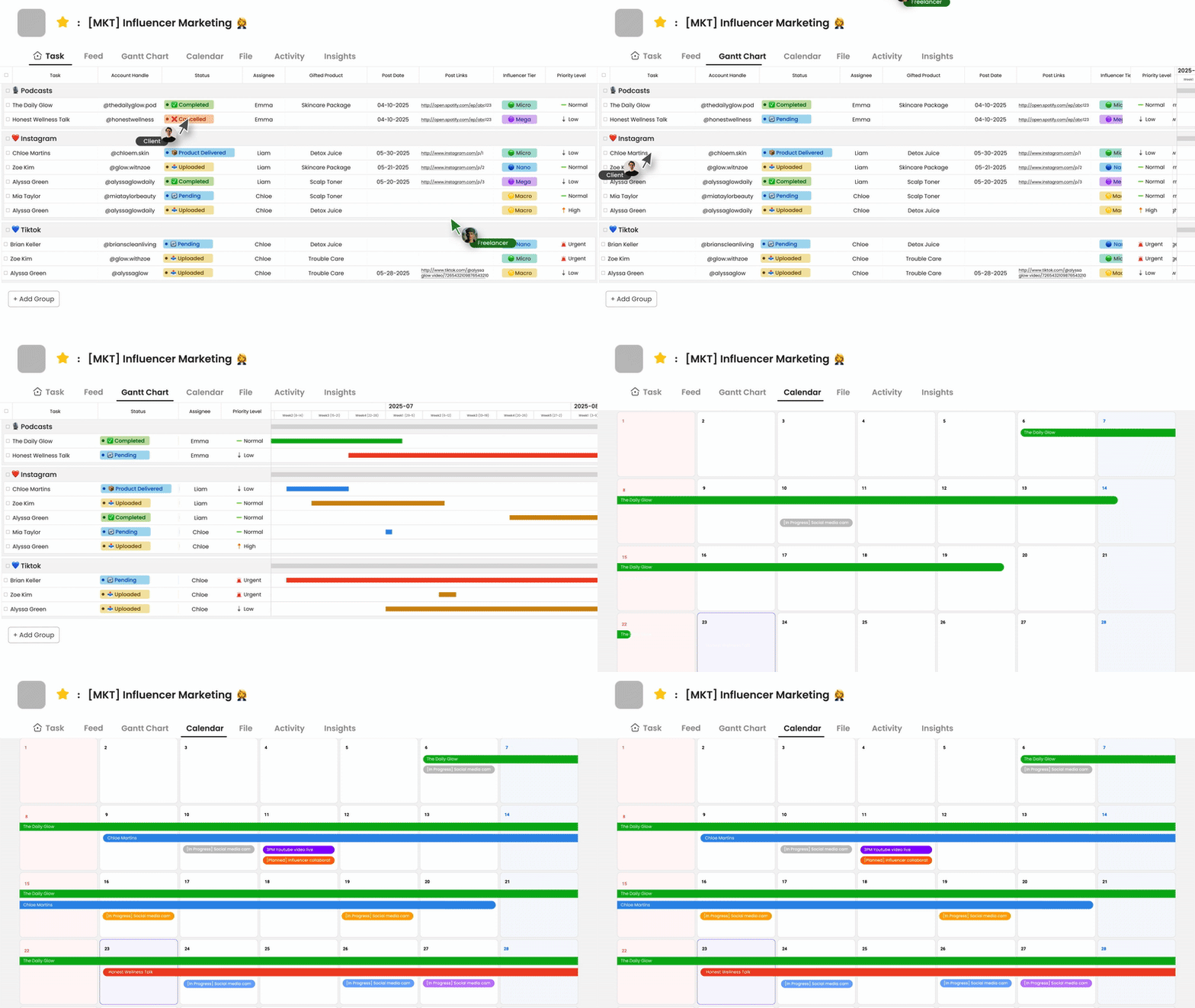
Morningmate is a lightweight work management tool built for teams who are done juggling between email, WhatsApp, and scattered project files. It combines task management, team chat, and file sharing into one organized workspace — without the complexity of tools like Jira or Asana, and without the unstructured freeform of Notion.
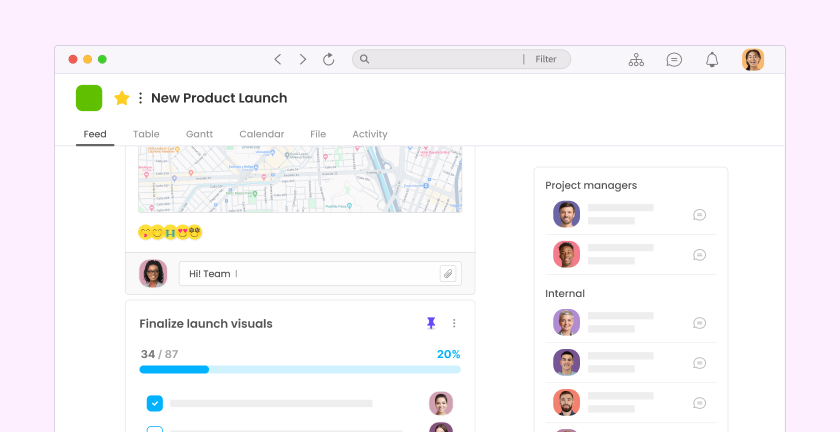
What makes Morningmate stand out is its Feed view, which presents team updates in a familiar social media-style format. Instead of digging through nested pages or Kanban boards, your team sees a live stream of project updates, tasks, and posts. It feels immediately intuitive — even for team members who are not comfortable with software tools. Over 550,000 teams around the world use Morningmate to replace the chaos of informal messaging apps with one central, organized system.
The built-in chat also mirrors the interface of WhatsApp, which means your team does not need to learn a new communication style. Conversations stay linked to the work they belong to, so nothing falls through the cracks. If you manage a remote or hybrid team and need better async communication without added complexity, Morningmate is worth a close look.
ClickUp — Best for Teams That Want Maximum Customization
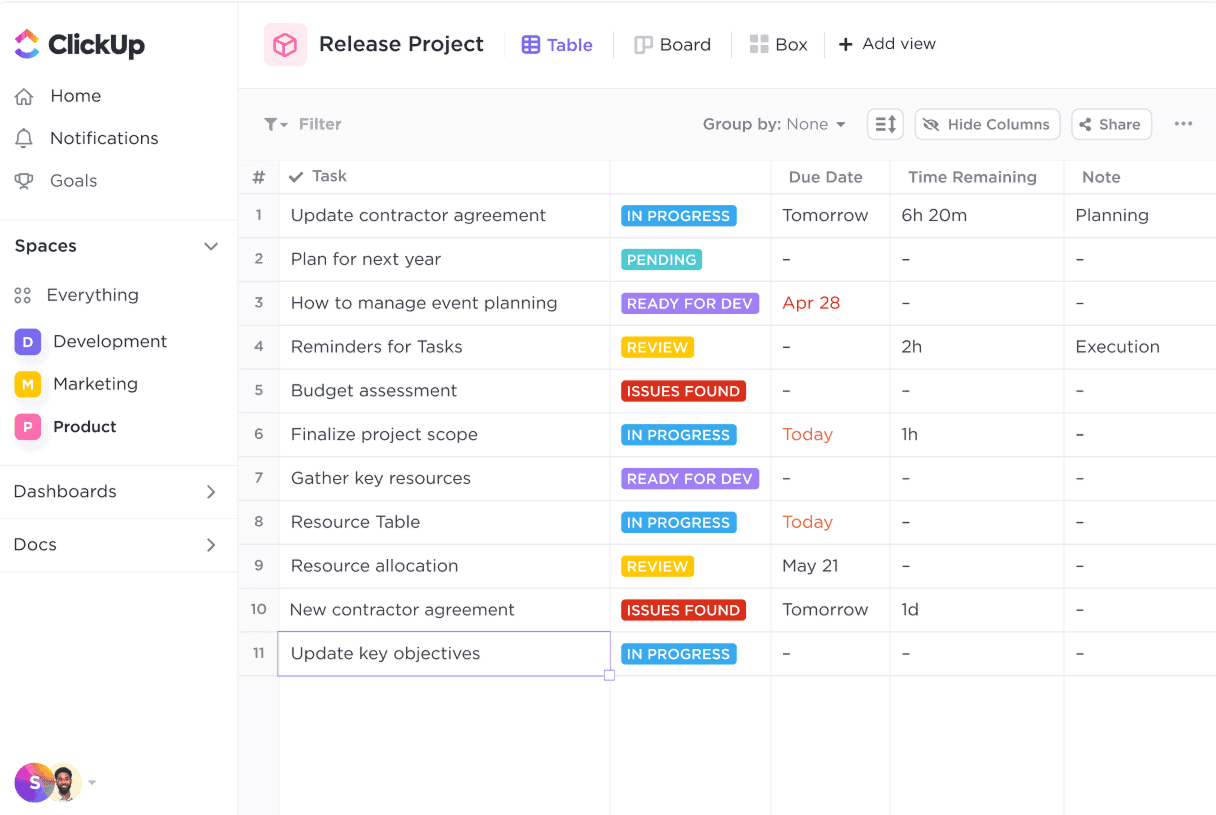
ClickUp is a feature-rich project management platform that gives teams extensive control over how they structure their work. It supports multiple views — list, board, Gantt, calendar — and has strong automation capabilities. The trade-off is a steeper learning curve than most teams expect, and it can feel overwhelming for smaller or non-technical teams.
ClickUp works well if you have a dedicated operations lead or project manager who can configure the workspace properly and maintain it over time. If your team wants something they can set up in an afternoon and start using the next morning, it may not be the right fit.
Basecamp — Best for Straightforward Project Communication
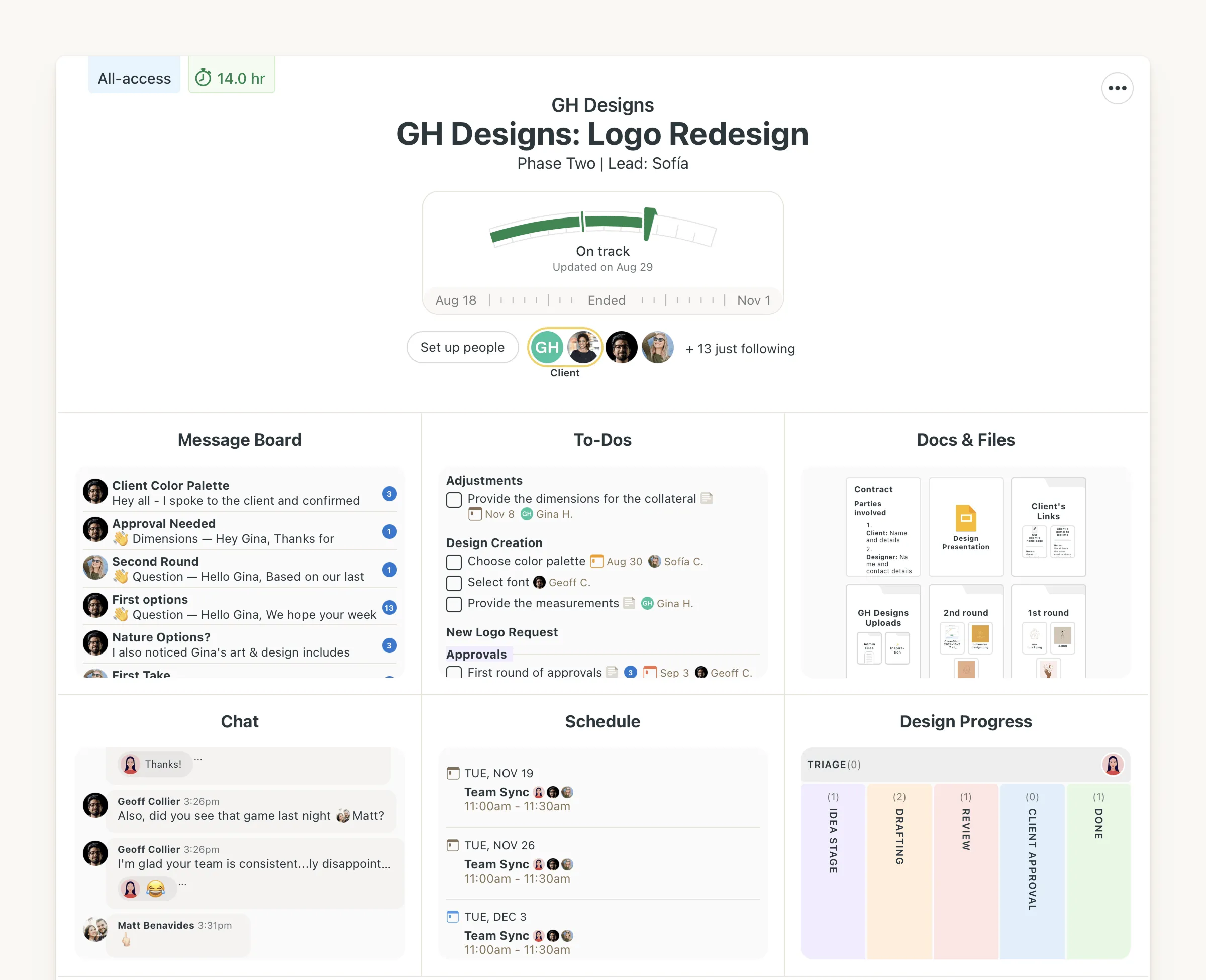
Basecamp has been around for years and holds its ground as a simple, no-frills team collaboration tool. It organizes work around projects, with message boards, to-do lists, and file sharing all in one place. It does not try to be everything, which is actually its strength.
The flat pricing model is appealing for growing teams, but Basecamp lacks robust task management features like dependencies or detailed progress tracking. It is a solid choice if your team’s main pain point is communication rather than complex project coordination.
Asana — Best for Structured Workflow Management
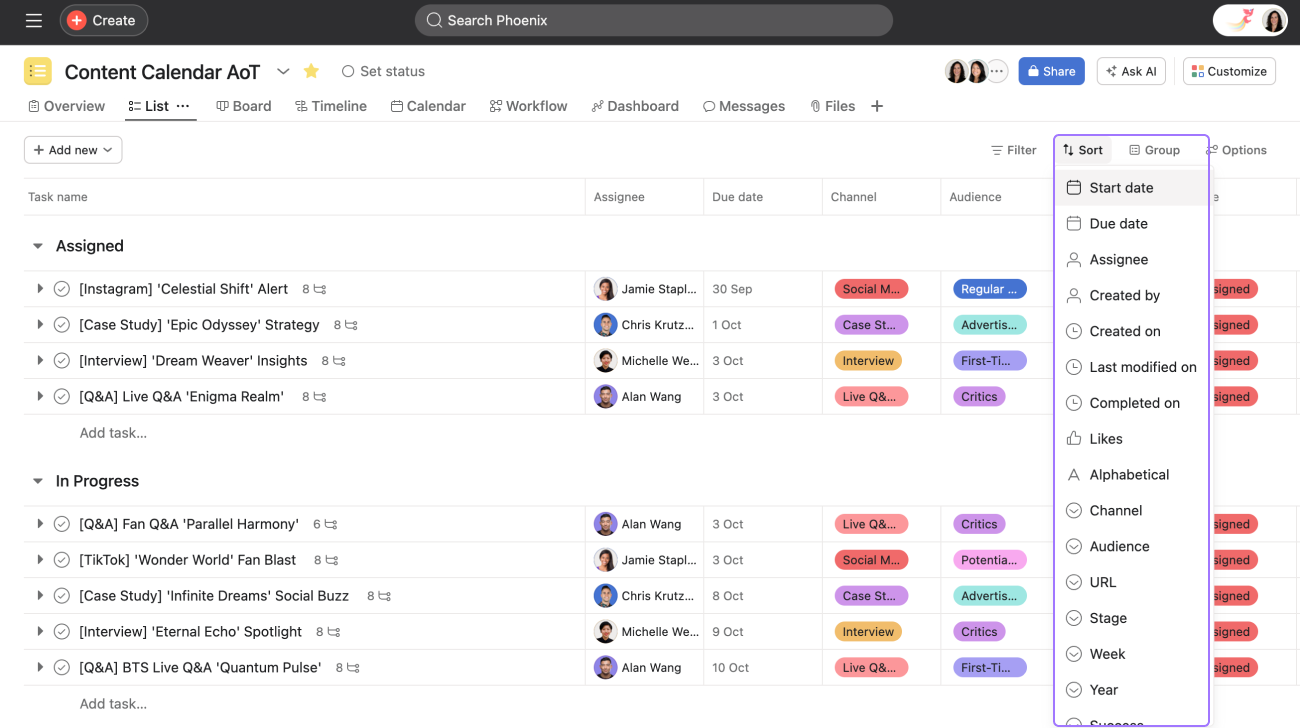
Asana is a mature project management tool that excels at structured workflows, task dependencies, and cross-team visibility. It is particularly strong for operations teams that manage recurring processes or multi-stage projects. Reporting features make it easier for managers to track team workload and project health.
The downside is cost and complexity at scale. Asana can become expensive as your team grows, and the interface requires meaningful onboarding investment. It is not the tool you hand to a team and expect them to figure out on their own.
Microsoft Teams + Planner — Best for Microsoft-First Organizations
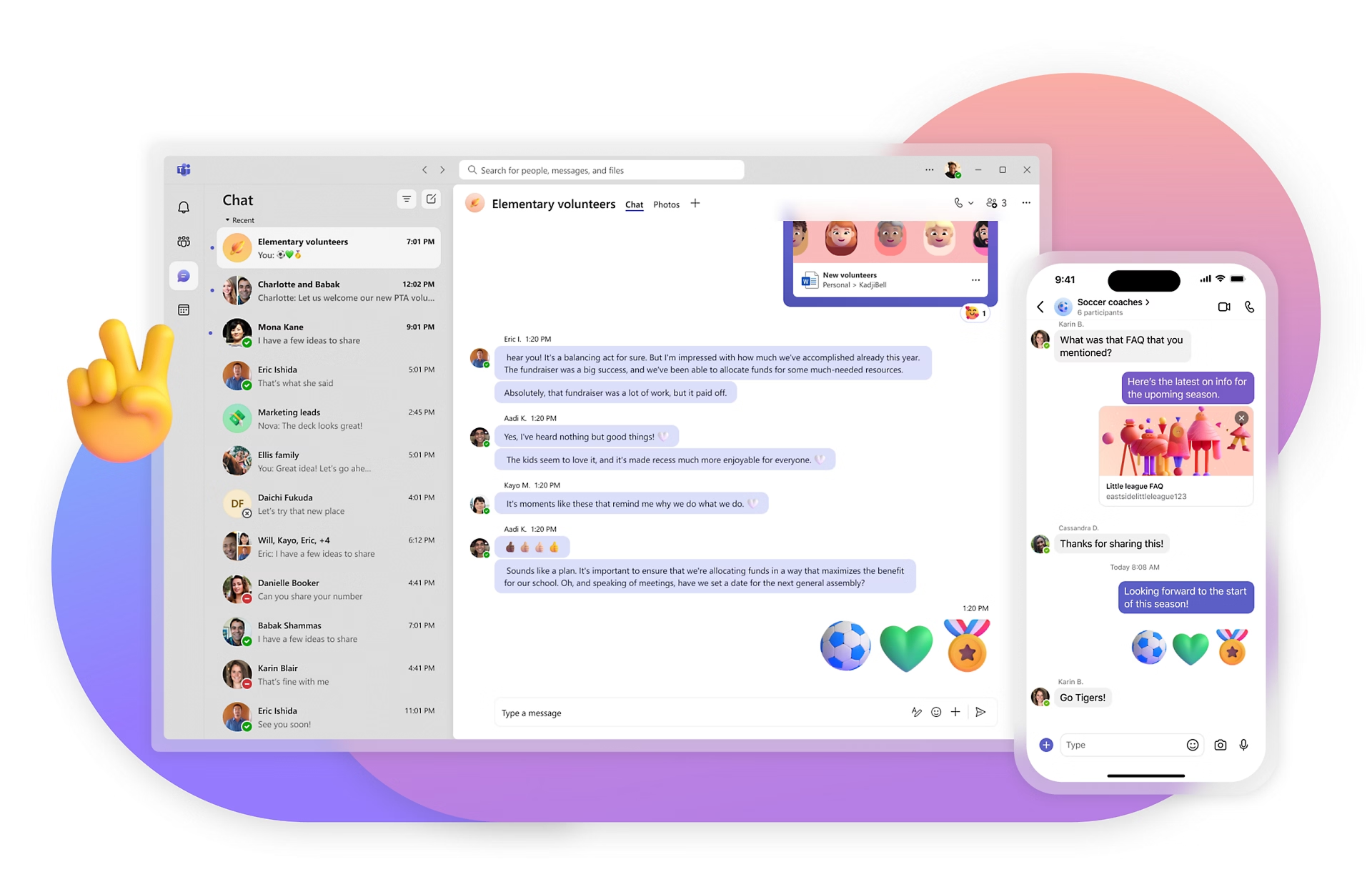
If your company already runs on Microsoft 365, Teams combined with Planner can serve as a workable collaboration setup. The integration with Outlook, SharePoint, and Office apps is a genuine advantage. However, many teams find Teams cluttered and the task management capabilities in Planner relatively basic compared to dedicated tools.
This combination works best as a consolidation move — replacing a mess of disconnected Microsoft tools rather than as a primary choice for teams starting fresh.
How to Choose the Right Notion Alternative for Your Team
Switching tools is disruptive, so it is worth being deliberate before committing. Use this simple framework to narrow your options:
- Define your biggest pain point. Is it task visibility, communication silos, information overload, or slow onboarding? Let that drive your search, not feature lists.
- Involve your team in the decision. Gallup research consistently shows that employee engagement is higher when people have input into how they work. A tool chosen without input gets resisted.
- Run a two-week pilot with a real project. Do not evaluate tools in a vacuum. Use them for actual work with your actual team and pay attention to where friction appears.
- Check adoption, not just features. The right tool is the one your team actually uses. A slightly less powerful tool with 90 percent adoption beats a feature-rich tool with 40 percent adoption every time.
- Think about your least technical team member. If they can figure it out in under an hour, you have a strong signal the tool will stick.
The Real Cost of the Wrong Tool
It is easy to underestimate what a poor tooling decision costs. Beyond the subscription fee, there is the time your team spends working around the tool’s limitations, the updates that get missed, and the frustration that quietly chips away at morale. McKinsey estimates that improving how teams communicate and collaborate through better tools can raise productivity by 20 to 25 percent.
That number sounds abstract until you translate it into real terms: fewer missed deadlines, less time in status-update meetings, and managers who can actually focus on strategy instead of chasing progress reports. The right tool does not just organize your work — it changes how your team operates day to day.
Morningmate was built specifically with this in mind. The goal was never to build the most powerful tool on the market — it was to build one that teams would actually adopt and stick with, especially those who have been burned by overly complex platforms before. For teams looking to move away from email and WhatsApp without overwhelming their workflow, that focus on simplicity makes a real difference.
Quick Comparison: Notion Alternatives at a Glance
Here is a summary to help you compare your options side by side:
- Morningmate: Simple, social-feed style interface, built-in WhatsApp-like chat, strong task management, best for non-technical and hybrid teams wanting one unified workspace
- ClickUp: Highly customizable, feature-rich, best for tech-forward teams with an admin to manage the setup
- Basecamp: Clean and simple, great for project communication, limited task management depth
- Asana: Structured workflow management, strong reporting, better for larger teams with dedicated project managers
- Microsoft Teams + Planner: Best if already inside the Microsoft ecosystem, not ideal as a standalone collaboration solution
No single tool is perfect for every team. But the clearest sign you have found the right one is when your team stops asking “wait, where does this go?” and just gets on with the work.