Task management is a critical component of any successful team, serving as the backbone for productivity and efficiency. In the modern workspace, tools like Microsoft Teams have become essential for managing tasks and facilitating collaboration. However, even with such powerful tools at our disposal, tasks still often become lost or overlooked. Could there be more effective ways to leverage Microsoft Teams to ensure tasks are tracked and completed efficiently?
Despite its widespread adoption, Microsoft Teams can sometimes fall short when it comes to task management. Factors such as lack of integration, complex interfaces, and communication overload contribute to this issue. In this article, we will explore how tasks are getting lost in Microsoft Teams and provide insights into overcoming these challenges. Additionally, we’ll highlight how integrating Morningmate can enhance task management within Teams.
By understanding the nuances of task management within Microsoft Teams, organizations can better harness the tool’s capabilities, ensuring that nothing slips through the cracks. Whether you’re a project manager aiming to keep the team organized or a team member looking to stay on top of your tasks, this guide is here to help.
The Overwhelm of Communication in Microsoft Teams
Microsoft Teams is designed to centralize workplace communication, combining chat, video conferencing, and file sharing. However, this centralization can lead to information overload. As messages flow quickly through various channels, tasks can become buried under the constant stream of communication.
When tasks are communicated informally or without a structured plan, they’re prone to being forgotten. It’s not uncommon for a task assigned through a chat message to be lost amid subsequent conversations. This lack of a structured system highlights the necessity for clear task tracking methods within Teams.
Seeking a way to manage tasks more efficiently? Consider integrating a tool like Morningmate to streamline task assignments and tracking.
Lack of Dedicated Task Management Features
While Microsoft Teams offers numerous features to enhance collaboration, its task management capabilities are not as robust as dedicated task management tools. This limitation makes it challenging to clearly define, assign, and track tasks within the platform.
Tasks in Teams are often managed via the Planner app, a supplementary feature that integrates with Teams but doesn’t offer comprehensive task tracking and management functionalities. The absence of features like priority setting, detailed sub-task listings, and progress tracking can lead to tasks being overlooked or improperly executed.
Improving Task Visibility and Accountability
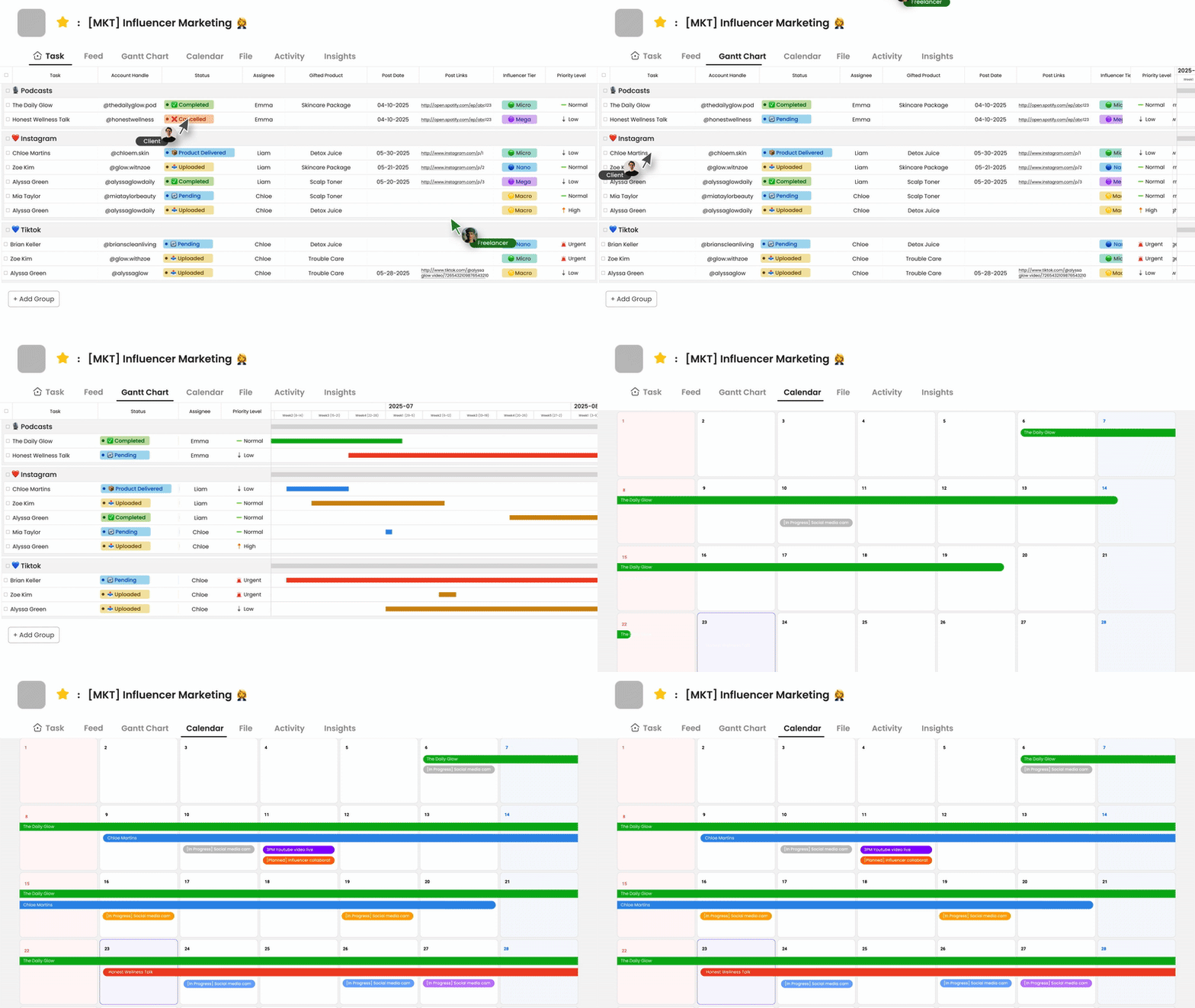
To prevent tasks from getting lost, visibility and accountability must be prioritized. This requires using tools and strategies that ensure all team members are aware of their responsibilities and deadlines. Establishing clear channels and methods for task assignments is essential.
Here are some practical strategies to enhance task visibility within Microsoft Teams:
- Utilize the ‘To Do’ feature in Microsoft Teams for personal task management.
- Integrate a third-party task management tool for better tracking and reporting.
- Regularly review assigned tasks and discuss progress in team meetings.
Integrating Morningmate for Enhanced Task Management
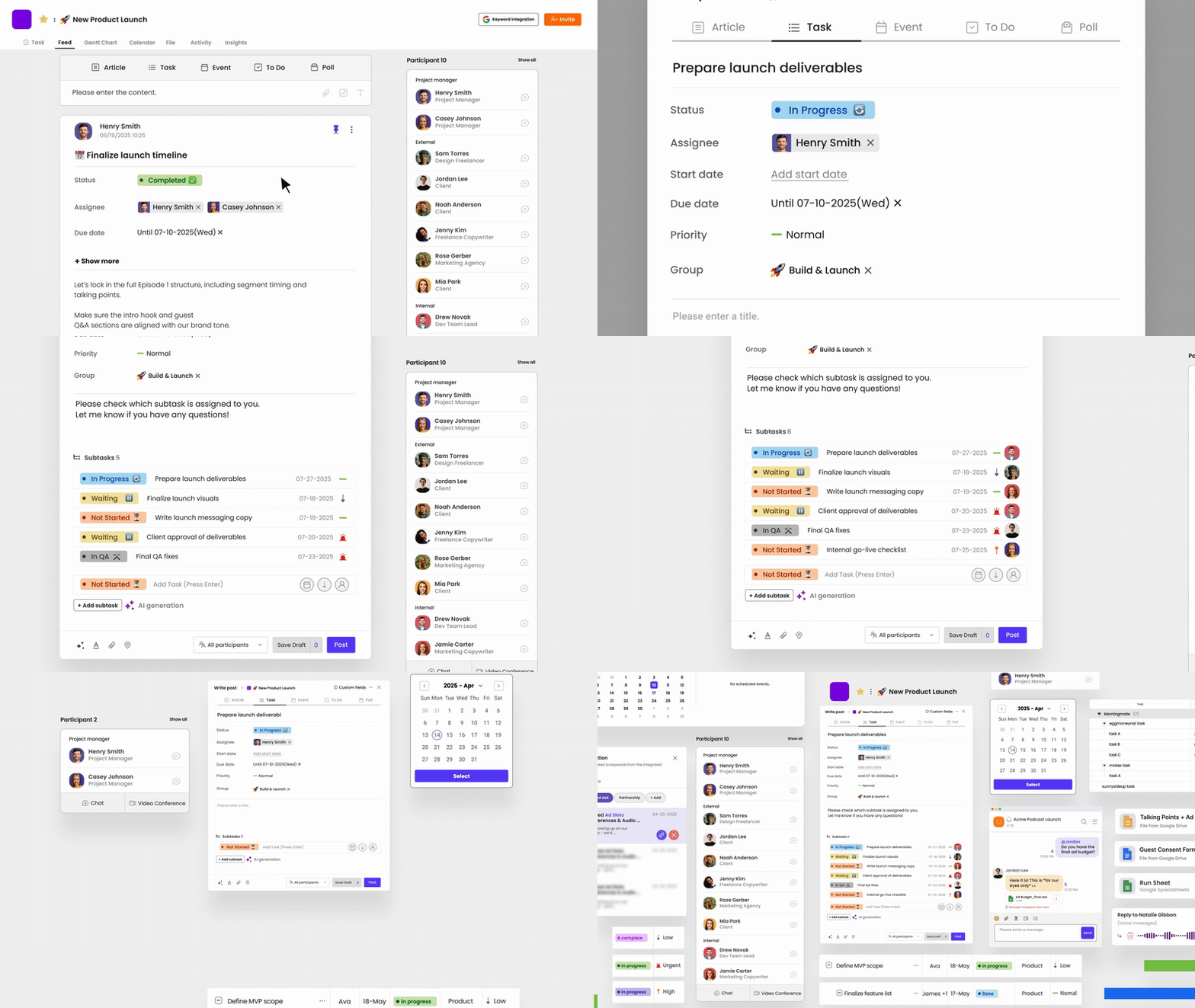
Morningmate can be seamlessly integrated with Microsoft Teams to provide a more comprehensive framework for task management. By using Morningmate, teams can enjoy a more structured approach to assigning, tracking, and completing tasks.
Morningmate offers features such as category labeling, priority settings, and customizable workflows, which complement the capabilities of Microsoft Teams. This integration allows for seamless updates and notifications, ensuring all team members are informed and accountable.
Checklist for Effective Task Management in Teams
Implementing a checklist can significantly improve task management. Here is a step-by-step checklist for using Microsoft Teams effectively:
- Set clear objectives for each project and task from the start.
- Use Teams’ tabs to create dedicated spaces for project-specific communication.
- Regularly utilize Planner or Morningmate integration for task tracking.
- Schedule periodic reviews on completed tasks to ensure quality and consistency.
For organizations looking to take their task management to the next level, consider integrating a dedicated task management tool that offers flexibility and structure beyond foundational capabilities.
Proactive Management for Task Success
As businesses continue to adapt to the evolving digital landscape, ensuring effective task management within Microsoft Teams is crucial. By understanding the inherent challenges and adopting strategies that enhance visibility and accountability, teams can prevent tasks from getting lost in the shuffle.
Integrating tools like Morningmate can further augment these efforts, providing a structured framework that supports productivity and collaboration. Encouraging proactive task management approaches empowers teams to achieve their goals more efficiently.
Don’t let your tasks fall by the wayside. Start integrating structured task management practices today to ensure nothing is missed and every project is a success.