Effective team collaboration often hinges on seamless communication and excellent time management. One of the most important tools in achieving this is a reliable team calendar. However, building a team calendar that actually works can be challenging. How can you ensure that it meets everyone’s needs and enhances productivity rather than adding confusion? This article will guide you through creating a team calendar that not only functions optimally but also supports collaboration and efficiency.
In a modern workplace, coordinating schedules, deadlines, and meetings is paramount. Organizational tools like Morningmate make the process of managing team calendars intuitive and efficient. By focusing on clarity and accessibility, you can transform a simple calendar into a powerful asset for your team.
Setting the Foundation for an Effective Team Calendar
The first step in building a team calendar that actually works is understanding the requirements of all stakeholders. This means identifying the diverse functions and roles within your team, and how each member interacts with the calendar. It’s essential to consider the tools your team currently uses and how a new or revamped calendar will integrate with existing systems.
Make sure to involve team members in the planning process. Their input will be invaluable in understanding the practical realities of day-to-day scheduling, helping to surface common issues and areas for improvement that a new calendar could address. Additionally, integrating digital tools like Morningmate can streamline this process by centralizing team communication and project management.
Understanding Team Needs
Focus on gathering insights about how the team currently manages time and tasks. Are deadlines often missed due to conflicting schedules? Is there a need for better visibility into each other’s availability? By addressing these questions, you categorically define what your team calendar needs to optimize.
- Survey team members about their current scheduling practices.
- Identify common scheduling conflicts and pain points.
- Ensure the calendar supports both internal and external appointments.
Selecting the Right Tools
After defining your team’s needs, the focus shifts to selecting tools that can deliver an effective team calendar. The market offers numerous options, yet the key is to choose one that aligns with your specific organizational needs. Morningmate, for example, stands out as a comprehensive platform offering built-in tools for scheduling, task management, and communication.
When evaluating tools, consider their usability, integration capabilities, and mobile accessibility to ensure that team members can stay connected and informed, irrespective of their location or device. Prioritize solutions that reinforce cross-functionality to streamline the entire operation.
Essential Features of a Team Calendar
Ensure the chosen tool includes essential features that align with your team’s operational goals. These features might encompass deadline reminders, progress tracking, and natural language processing for setting events. Here are some critical calendar features to consider:
- Shared access with role-based permissions to maintain privacy and security.
- Real-time updates to avoid scheduling conflicts and outdated information.
- Sync capabilities with other platforms and devices for seamless use.
With the proliferation of cloud services, ensuring your calendar is secure and has the potential for offline use is increasingly important. This guarantees that your team remains productive even when connectivity is compromised.
Crafting a Usable Layout
A well-organized calendar layout enhances clarity and usability. Teams benefit from intuitive designs that make it easy to spot important deadlines, meetings, and events at a glance. Aim to strike a balance between detailed information and a clutter-free interface.
Design Principles for Clarity
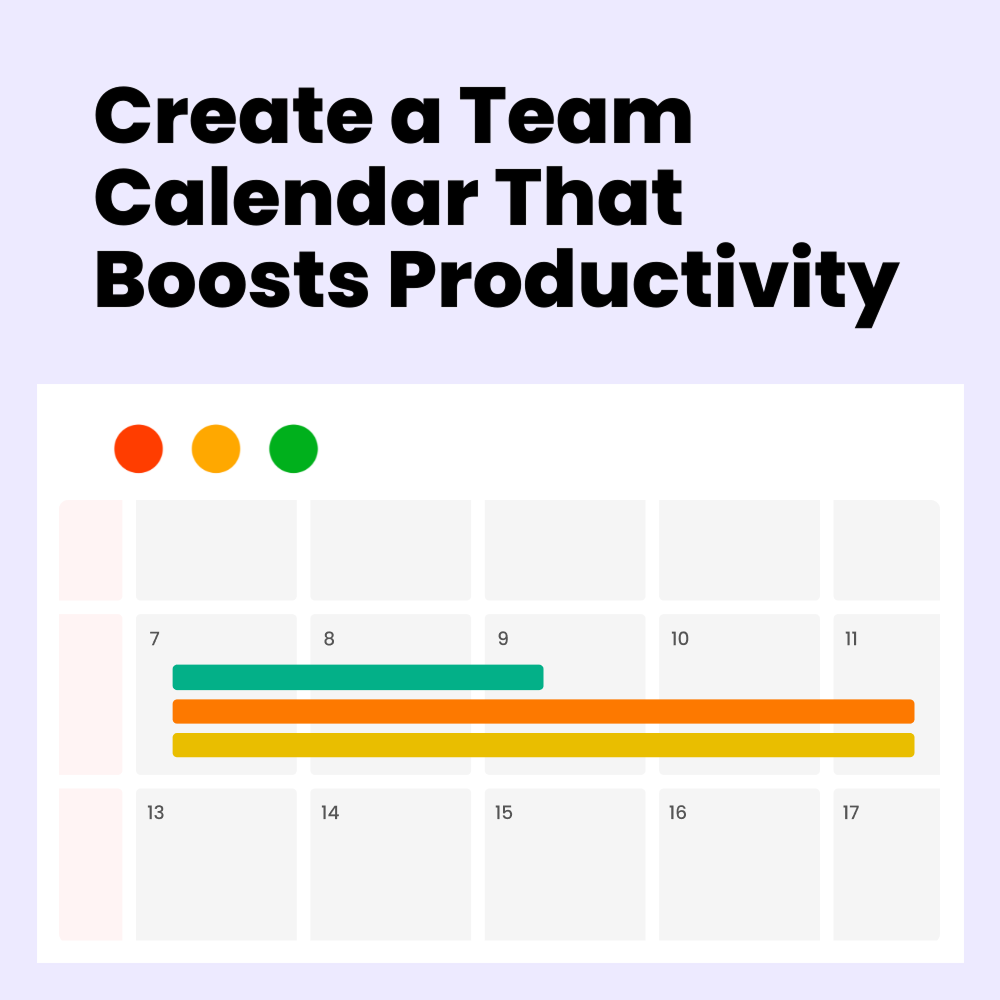
Use color coding to differentiate between types of events or categories, making it easier to identify high-priority items quickly. Additionally, flagging or highlighting important dates and milestones can draw attention where it’s most needed. Consistency in these visual cues helps build familiarity and ease of use across the team.
- Use visuals like icons or tags to represent specific tasks or meeting types.
- Provide annotations or notes within calendar entries for context.
- Facilitate easy navigation between different views, such as daily, weekly, or monthly forms.
Encouraging Adoption and Consistent Use
A team calendar is only effective if it’s embraced and consistently used by all team members. This requires encouraging buy-in and demonstrating the calendar’s value in enhancing productivity and cohesion. Regular feedback sessions can help refine its usage and ensure it meets evolving needs.
Gradual implementation, supported by training sessions, can ease the transition to a new or updated team calendar system. It may also be beneficial to designate calendar champions within the team who can mentor others and troubleshoot common issues.
Establishing a Routine
Integrate frequent calendar reviews into team meetings to assess its impact and adjust scheduling practices as necessary. Additionally, encourage team members to develop personal routines for updating their schedules promptly. In this way, everyone remains informed and in sync.
- Schedule regular calendar check-ins as part of weekly meetings.
- Encourage individual accountability in maintaining personal schedules.
- Use feedback loops to refine processes and enhance usability.
By incorporating these strategies, your team’s adoption of the calendar can be improved, ensuring it becomes a linchpin in your workflow. This collaborative approach not only solidifies the tool’s relevance but also fosters a culture of continuous improvement and agility.
Evaluating and Optimizing the Calendar
A critical aspect of maintaining an effective team calendar is the ongoing evaluation of its effectiveness. Conducting regular assessments allows you to identify areas that may require adjustments or enhancements. This process not only helps in addressing current pitfalls but also in exploring opportunities for innovation.
Tools for Assessment
Employ data-driven insights to track usage patterns, identify underutilized features, and measure the calendar’s impact on project timelines. Tools that offer analytics can provide valuable feedback, enabling you to make informed decisions about potential improvements or adjustments.
- Set performance metrics to gauge calendar success over time.
- Collect user feedback regularly to spot trends and issues early.
- Utilize analytical tools to monitor scheduling efficiencies and bottlenecks.
As your team grows or changes, regular evaluation of your calendar system ensures it remains relevant and effective. Consider seasonal adjustments or periodic audits to keep the calendar aligned with organizational goals.
Moving Forward with Confidence
Building a team calendar that actually works requires a thoughtful approach, practical execution, and ongoing commitment to improvement. By following these guidelines, you ensure your team can navigate their tasks with efficiency, meet deadlines confidently, and collaborate seamlessly, making a significant difference in overall productivity and morale.
Morningmate offers an integrated platform that can bring your calendar and collaborative tools together, streamlining processes and enhancing team workflow. Consider exploring its features to see how it can power collaboration for your organization.
It’s time to take action. Empower your team with a calendar that supports and enhances their efforts every step of the way. Implement these strategies and watch as your team’s productivity and satisfaction reach new heights.
If you’re ready to revolutionize how your team manages scheduling and collaboration, explore how Morningmate can support your goals today. The right tools and a well-configured calendar can transform your team’s dynamics, positioning you for success now and in the years to come.